
Higgsfield Review
The right pick when the thing you are building is content, not software. Higgsfield bundles many of the best AI video and image models behind one prompt box with genuinely cinematic camera control — just go in knowing credits expire and heavy video use pushes you up the tiers quickly.
Is Higgsfield worth it? The short answer
Higgsfield is not an app builder — it is an AI video and image generation platform, and it is the best pick in this ranking when the thing you are producing is content rather than software. It scores 9.5/10 for bundling Kling, Seedance, Veo, FLUX, Nano Banana and other leading models behind one subscription, with cinematic camera controls that most generators only approximate. Plans are free, $19, $47 and $99 per month. Credits do not roll over, and premium video models consume them quickly.
Key takeaways
- One subscription replaces several separate model accounts — Kling, Veo, Seedance, FLUX and more.
- Cinema Studio's camera controls (dolly, crane, orbit) are first-class, not approximations, and the output reads as filmed.
- Free plan is a genuine evaluation tier; Starter $19/mo (270 credits), Plus $47/mo (1,200), Ultra $99/mo (3,000).
- Credits reset each cycle and do not roll over; top-up credits last 90 days.
- It builds footage, not applications — for a web app or internal tool, choose a builder ranked above.
Affiliate disclosure — Some links on this website are affiliate links. If you click a link and purchase a product or sign up for a service, we may receive a commission at no additional cost to you. Our rankings and editorial opinions are formed independently of affiliate compensation. Read the full disclosure.
What is Higgsfield?
Higgsfield is an AI video and image generation platform that combines multiple leading models with cinematic camera controls, aimed at creators, marketers and production teams.
Higgsfield sits apart from the rest of this list: the others build software, Higgsfield builds footage. Its pitch is consolidation — instead of paying separately for Kling, Veo, Seedance and the image models, you get them all behind one prompt box, wrapped in Cinema Studio's camera moves and a Marketing Studio aimed at ad content. In testing, the camera control is the real differentiator: dolly, crane and orbit moves that most generators approximate are first-class controls here, and the results read as filmed rather than generated. The pricing model is the trade-off. The free plan is genuinely useful for evaluation, Starter at $19/month (270 credits) suits occasional creators, and Plus at $47/month is where regular video work becomes comfortable — but credits do not roll over and premium video models burn through them fast, so heavy users land on Ultra at $99/month whether they planned to or not. Business plans add shared workspaces and pooled credits for teams. If your output is content, this is one of the strongest value bundles in AI generation right now; if your output is an application, look at the builders ranked above.
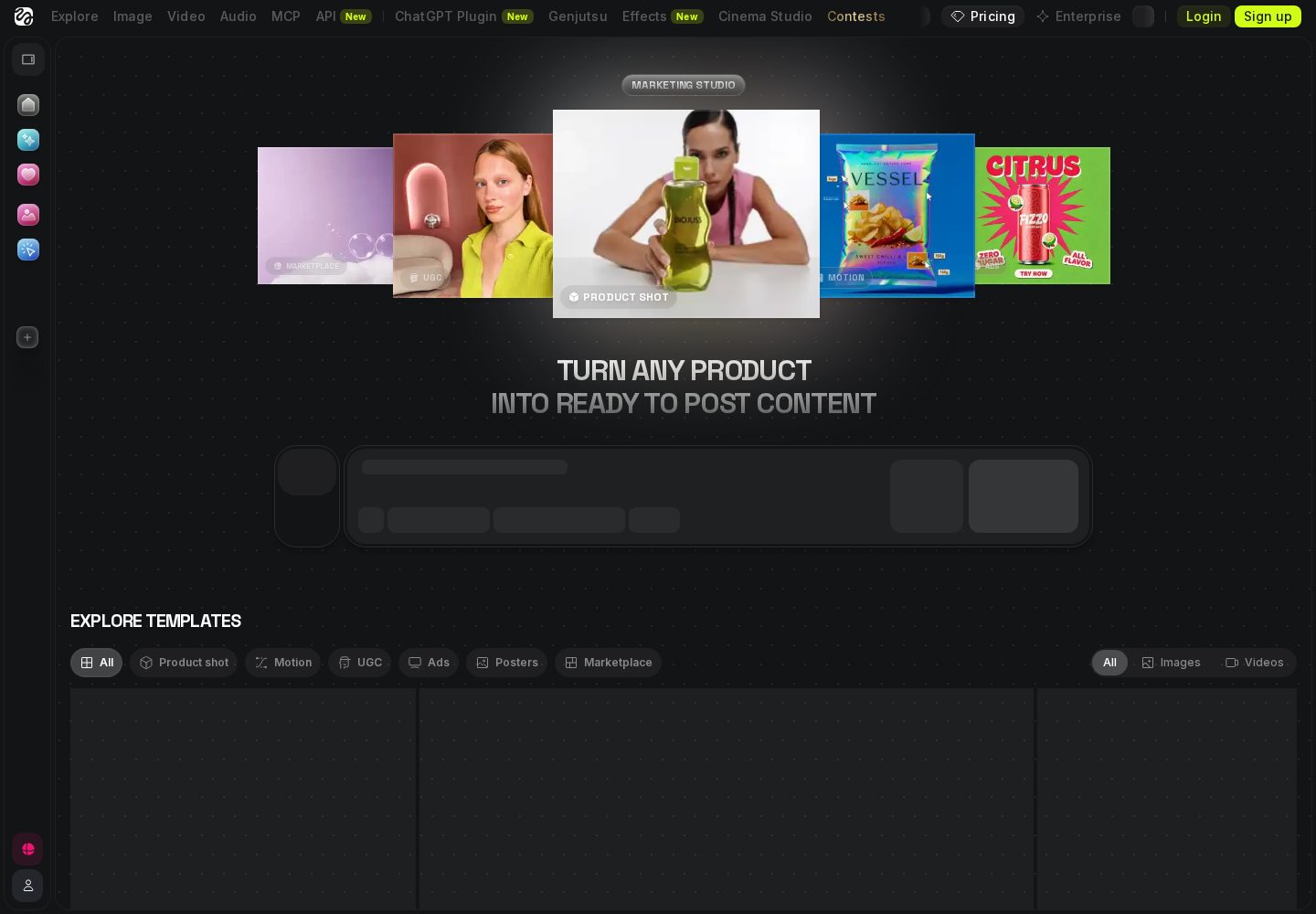
Higgsfield Marketing Studio
Higgsfield's visual workspace is built for generating product imagery, video, and campaign creative rather than software.
View official source: Higgsfield Marketing StudioWhy a video platform appears in an app builder ranking
We include Higgsfield with an explicit caveat: it does not build applications. It earns a place because the people searching for AI app builders are frequently trying to solve a different problem than the search term suggests — they need a launch video, a set of ad creatives or product imagery, and an app builder cannot produce any of that.
If you want a web app, SaaS product or internal tool, stop here and use Base44, Lovable, AgentUI or Bolt.new. If what you actually need is content to market the thing you already built, Higgsfield is the strongest option we tested, and pretending otherwise would waste your time.
Its score reflects that honestly. Higgsfield rates 9.5 as a content platform; as an app builder it would not rate at all, and the scorecard above marks that mismatch rather than hiding it.
What you get for one subscription
The core pitch is consolidation. Running a modern content workflow normally means separate accounts for Kling, Veo, Seedance and one or more image models, each with its own billing, quirks and interface. Higgsfield puts them behind a single prompt box with one allowance and one place to work.
Cinema Studio is the layer that makes the difference in practice. Camera moves that most generators treat as prompt suggestions — dolly in, crane up, orbit around the subject — are explicit controls here, and the output genuinely reads as filmed footage rather than animated stills. In our advert test, that single capability was the reason the results looked professional rather than obviously synthetic.
Marketing Studio addresses the commercial use case directly, with generation tools aimed at product and brand content, while Canvas, CLI and MCP workflows cover everything from casual experimentation to integration into a production pipeline. That range is unusual: most tools serve either the hobbyist or the studio, not both.
Key features
Multi-model access
Kling, Seedance, Veo, FLUX, Nano Banana and more in a single platform.
Cinema Studio
Camera moves, shots and presets designed for cinematic AI video.
Marketing Studio
Ad-focused generation tools for product and brand content.
Credits and top-ups
Monthly credit allowances with Credit Packs and Auto-Refill when you need more.
How we scored Higgsfield
We assessed Higgsfield on the work its buyers actually do rather than our standard app-building test set: a short product advert, a set of social clips with consistent branding, and a batch of marketing images. We measured output quality, how much of a monthly allowance a realistic week of work consumes, and whether the multi-model bundle genuinely replaces separate subscriptions. Pricing was read from higgsfield.ai/pricing on 20 September 2026.
| Criterion | Score | Notes |
|---|---|---|
| Output qualityCinematic results that pass as filmed rather than generated. | 9.8 | Cinematic results that pass as filmed rather than generated. |
| Model breadthMany leading video and image models under one subscription. | 10.0 | Many leading video and image models under one subscription. |
| Camera and motion controlDolly, crane and orbit moves as real controls. | 9.9 | Dolly, crane and orbit moves as real controls. |
| Ease of usePrompt-driven and approachable for non-specialists. | 9.5 | Prompt-driven and approachable for non-specialists. |
| Credit valueNo rollover, and premium video drains allowances fast. | 8.9 | No rollover, and premium video drains allowances fast. |
| Fit as an 'app builder'Different category — content output, not software. | 7.5 | Different category — content output, not software. |
| Overall | 9.5 | Out of 10 |
Pros and cons
Pros
- One subscription unlocks many leading video and image models instead of separate accounts
- Cinematic camera controls produce genuinely film-like motion from a text prompt
- Free plan lets you test the workflow before paying
- Web, Canvas, CLI and MCP workflows fit both casual creators and production pipelines
Cons
- Not an app builder — it generates video and images, not applications
- Credits do not roll over and premium video burns through them quickly
Pricing
| Plan | Price | Notes |
|---|---|---|
| Free | $0 | Limited set of models and a small credit allowance to try the platform |
| Starter | $19/mo | 270 credits a month, core generation models |
| Plus | $47/mo | 1,200 credits a month, more models and parallel generations |
| Ultra | $99/mo | 3,000 credits a month, full model access and unlimited access to selected models |
Last verified 20 September 2026 against Higgsfield's official pricing page. Prices change often — always confirm before buying.
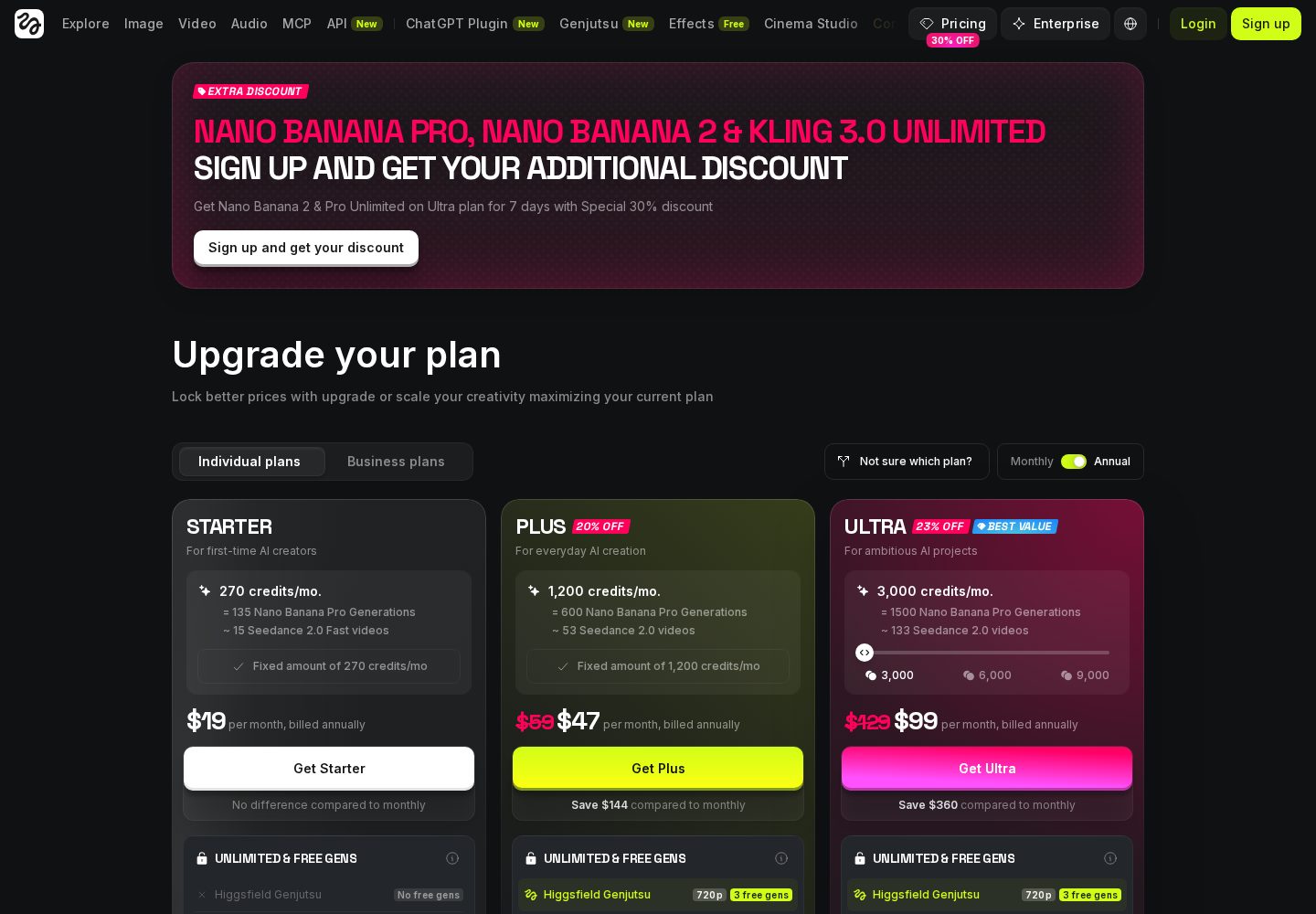
Higgsfield pricing plans
Higgsfield's upgrade page compares monthly credits, model access, and generation limits across paid plans.
View official source: Higgsfield pricing pageCredits, costs and which plan you will end up on
The free plan offers a limited set of models and a small credit allowance — enough to judge quality and workflow before paying, which we consider the right way to evaluate any generation tool.
Starter at $19/month provides 270 credits and suits occasional creators producing a few pieces a month. Plus at $47/month with 1,200 credits is where regular video work becomes comfortable, adding more models and parallel generations. Ultra at $99/month and 3,000 credits unlocks full model access, and business plans add shared workspaces with pooled credits.
The constraint to plan around is that credits do not roll over. Unused allowance disappears at the end of the billing cycle, and top-up Credit Packs last 90 days. Combined with the fact that premium video models consume credits far faster than image generation, this means anyone producing video weekly tends to arrive at Ultra regardless of which tier they started on. Budget for the plan your actual output requires rather than the one that looks affordable.
Set against separate subscriptions to two or three leading video models, the bundle still represents good value — that comparison, not the headline price, is the fair one.
Higgsfield versus the builders in this ranking
There is no meaningful feature comparison between Higgsfield and Base44, Lovable, AgentUI or Bolt.new, because they solve unrelated problems. The useful comparison is one of sequence: you build the product with a builder, then you market it with Higgsfield.
A realistic small-team stack looks like Lovable or Base44 for the application, and Higgsfield for the launch video, social clips and ad imagery. Neither replaces the other, and treating this list as a single ranked competition misreads what the fifth entry is for.
- Need an application → Base44, Lovable, AgentUI or Bolt.new.
- Need a launch video or ad creative → Higgsfield.
- Need both → use a builder and Higgsfield together.
Rights, usage and practical cautions
Before using AI-generated footage commercially, read the current terms for the specific plan you are on and for the underlying models you use, since rights and permitted commercial use can differ between models even inside one platform. This is the area that changes most often, so verify it at the point of purchase rather than relying on any review, including this one.
The practical cautions are the ordinary ones for generative video: plan for iteration, because the first generation is rarely the keeper, and budget credits accordingly. Keep prompts and settings for shots you like so a consistent look can be reproduced across a campaign rather than rediscovered each time.
Used with those habits, Higgsfield is one of the strongest value bundles in AI content generation right now — provided you came here for content and not for software.
Who should use Higgsfield?
Content creators, marketers and filmmakers who want professional-looking AI video and images from prompts without managing several model subscriptions.
Who should look elsewhere
Anyone who wants to build a web app, SaaS product or internal tool — a prompt-driven app builder like Lovable is the right category for that.
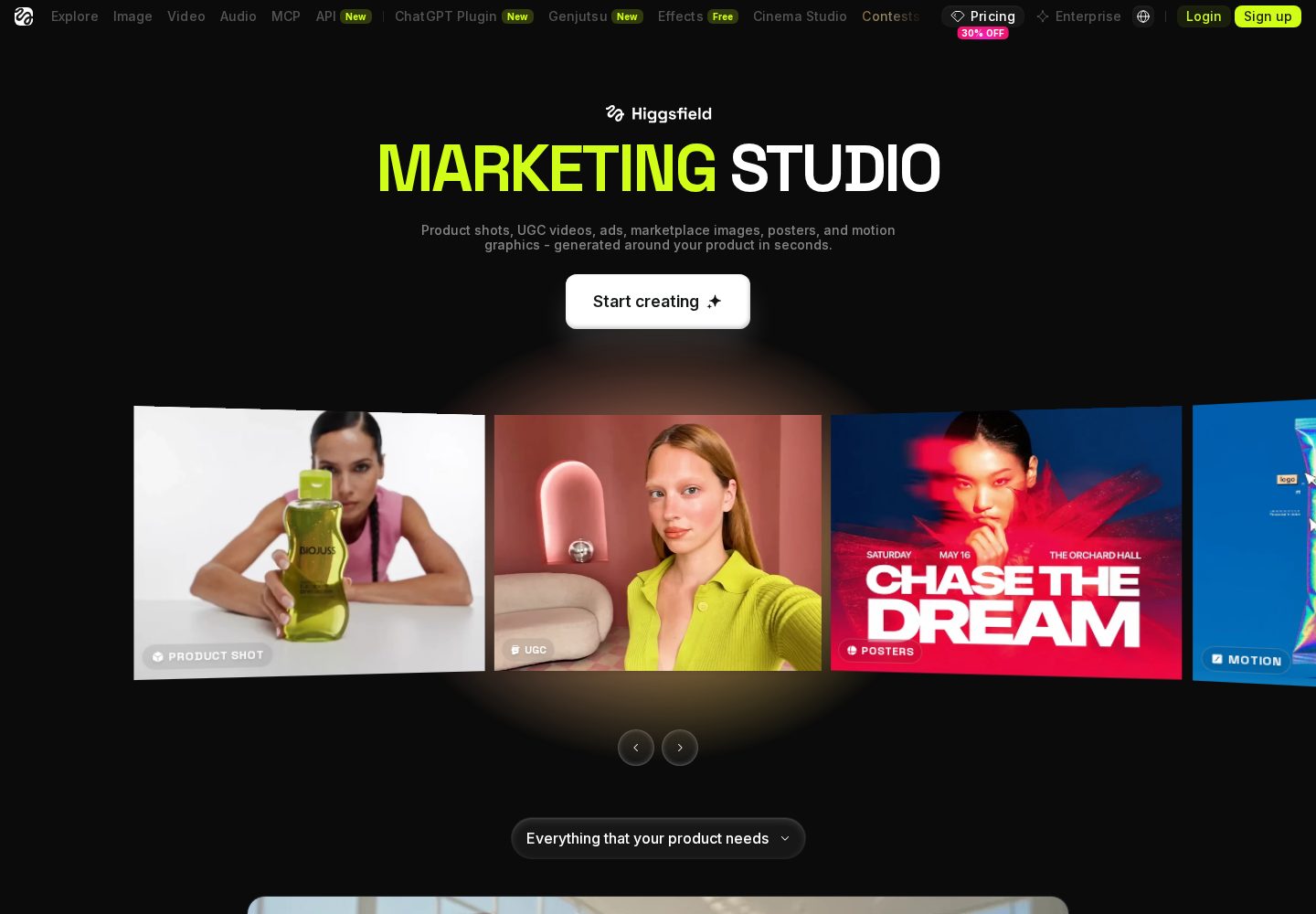
Higgsfield marketing use cases
Marketing Studio examples focus on product shots, motion creative, user-generated-style ads, and social campaigns.
View official source: Higgsfield Marketing Studio overviewFinal verdict
The right pick when the thing you are building is content, not software. Higgsfield bundles many of the best AI video and image models behind one prompt box with genuinely cinematic camera control — just go in knowing credits expire and heavy video use pushes you up the tiers quickly.
Higgsfield FAQ
Is Higgsfield free?
There is a free plan with limited credits and models. Paid plans run $19, $47 and $99 per month (verified 20 September 2026).
Is Higgsfield an AI app builder?
No. It generates AI video and images from prompts. For building apps, see the app builders ranked above.
Do Higgsfield credits roll over?
No. Subscription credits reset each billing cycle and unused credits expire; top-up credits last 90 days.
Can Higgsfield build a website or app?
No. It generates video and images from prompts. For a website, web app or internal tool, use one of the AI app builders ranked above it.
Which Higgsfield plan should I choose?
Free to evaluate, Starter at $19/month for occasional creators, Plus at $47/month for regular video work, and Ultra at $99/month if you produce premium video weekly, since credits do not roll over.
Does Higgsfield replace separate model subscriptions?
For most creators, yes — Kling, Seedance, Veo, FLUX, Nano Banana and others are available under one plan, which is the main reason to choose it.
How fast do Higgsfield credits run out?
Premium video models consume credits considerably faster than image generation, and unused subscription credits expire at the end of each cycle. Top-up credits last 90 days.
Continue exploring
Related AppRank guides
Related comparisons
Relevant buying guides
Not Sure Which AI App Builder to Choose?
Get our free AI App Builder comparison guide.
No sign-up is required to read any comparison on this site.