

Base44 Review
Rated 9.9/10 and our top pick for non-technical builders. Base44 combines one of the quickest prompt-to-app workflows with a database, authentication, analytics and hosting that work without separate setup. It loses points for its two-part credit system and for the testing still required before a generated app is ready for important production data.
Is Base44 worth it? The short answer
Base44 is the best overall AI app builder in our 2026 testing. It turns a written brief into a working web app with a database, user accounts, analytics and hosting already wired together, so a non-technical team can go from idea to usable internal tool in a single afternoon. It scores 9.9/10. The two things to weigh before committing are its two-part credit system, which makes monthly spend harder to forecast than a flat subscription, and the amount of testing a generated app still needs before it holds business-critical data.
Key takeaways
- Fastest path we tested from a plain-language description to a working app with real data behind it.
- Database, authentication, analytics and hosting are included — there is no separate infrastructure to set up.
- Free plan covers evaluation; Builder at $40/month billed annually is the realistic starting point for serious work because it adds GitHub sync and model selection.
- Message credits and integration credits are metered separately, so heavy iteration or API-heavy apps cost more than the headline price suggests.
- You can edit generated code in-app on paid plans, and Base44 states that you own the code, data and users in your apps.
Affiliate disclosure — Some links on this website are affiliate links. If you click a link and purchase a product or sign up for a service, we may receive a commission at no additional cost to you. Our rankings and editorial opinions are formed independently of affiliate compensation. Read the full disclosure.
What is Base44?
Base44 is an AI app builder, now part of Wix, that generates complete business applications — front end, database, authentication and analytics — from a plain-language description.
Base44 is strongest when the goal is to turn a business process into a usable web app without first assembling a technical stack. Describe a CRM, booking tool, onboarding portal or approval workflow and it generates the screens alongside a managed database, user authentication, analytics and hosting. That all-in-one setup is the reason it earns our 9.9/10 score: a non-technical user can reach a functional first version unusually quickly, then refine it through conversation or use the in-app code editor on a paid plan. Ownership is better than it was at launch. Base44's current pricing page says users own their code, data and users, while Builder and higher plans include two-way GitHub sync. The main caution is that a generated first version is not the same as a production-ready system. Complex permissions, unusual workflows and integration failures need deliberate testing, and repeated AI changes can fix one area while disturbing another. Pricing also needs attention because Base44 meters two things separately: AI messages and integration actions. Free is useful for evaluation, Starter suits light personal projects, and Builder is the practical entry point for serious work because it adds 250 monthly message credits, 10,000 integration credits, model selection and GitHub sync. Base44 is our best overall choice for speed and completeness, but teams handling sensitive or business-critical data should still plan for a proper security and quality review before launch.
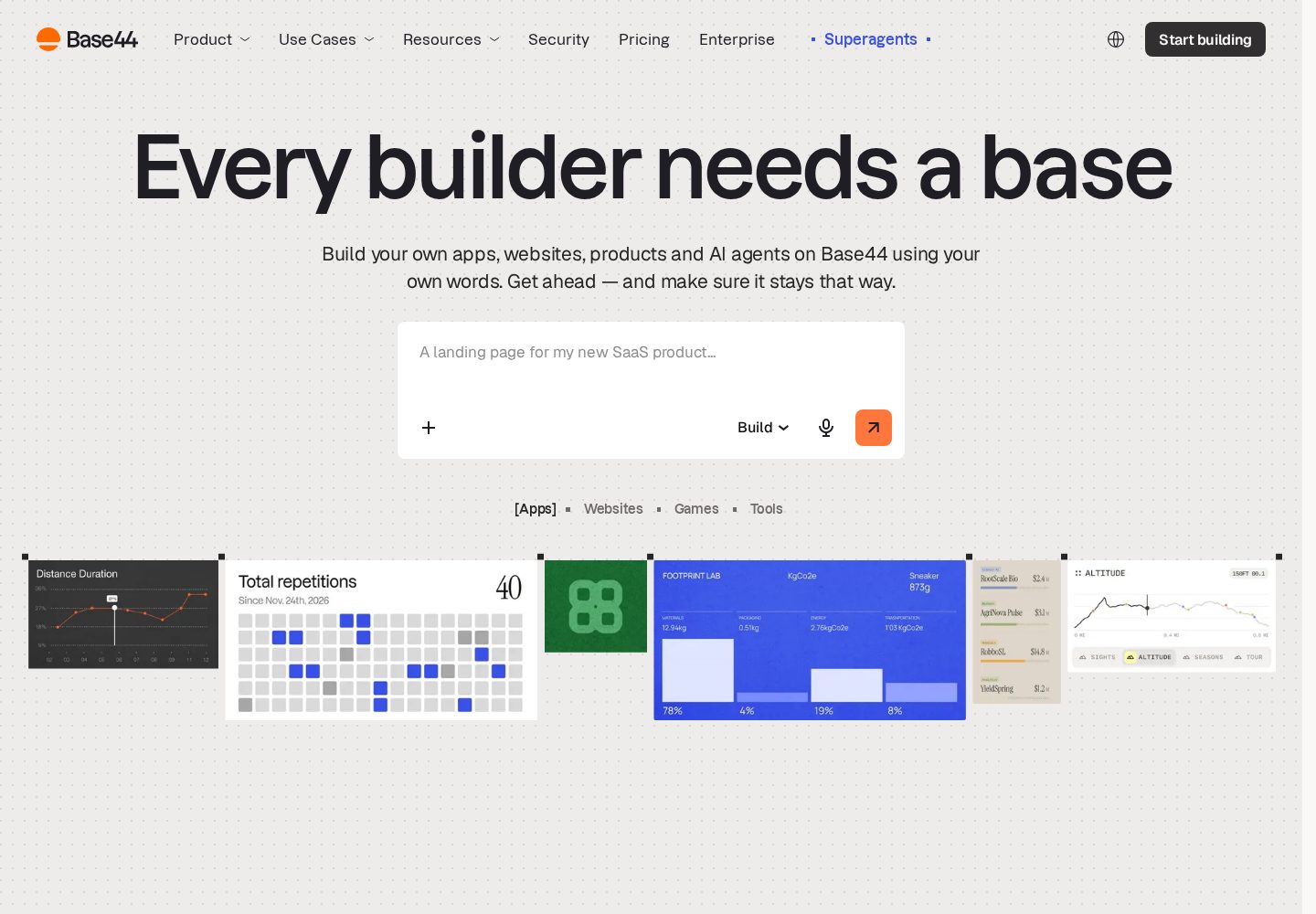
Base44 app-building interface
Base44 presents a prompt-led builder backed by ready-made app layouts and business data tools.
View official source: Base44 product pageHow Base44 actually works
Base44 starts with a prompt box and a question rather than a blank canvas. You describe the application you want in ordinary business language — "a portal where our field technicians log completed jobs and managers approve them" — and the builder generates a full application from that single description: the screens, the underlying data model, user accounts with roles, and a live URL you can share immediately.
What separates this from front-end-only generators is that the data layer arrives with the interface. When the app it produces has a Jobs table, that table genuinely exists, records save to it, and permissions govern who can read or edit them. For a non-technical team this removes the step that normally kills the project: you never have to choose a database, configure a backend, or connect an authentication provider.
Refinement is conversational. You point at what is wrong — "managers should not be able to delete a completed job", "add a filter for last 30 days" — and the relevant screens and rules change. On paid plans you can also open the generated code directly inside the platform and edit it, which matters more than it sounds: it is the escape hatch for the handful of changes that prompting keeps getting subtly wrong.
Since Base44 became part of Wix, the hosting and domain side has become notably smoother. Publishing is a button, custom domains are handled in-platform, and analytics are already collecting usage from the first visitor rather than requiring a separate tag.
What it was like to build with
Our CRM test reached a genuinely usable state faster than any other builder in this ranking. Contacts, companies, deal stages, a pipeline view and role-based access were in place from the first pass, and the follow-up prompts were mostly refinements — column ordering, a filter, an email field validation — rather than repairs.
The approvals workflow exposed where the AI needs supervision. Multi-step conditional logic ("route to finance only if the amount exceeds £5,000 and the requester is not a director") worked, but took several attempts, and one iteration quietly changed behaviour on a screen we had already signed off. That is the single most important habit to adopt with any AI builder, Base44 included: check the screens you were not working on after each significant change.
The booking page with payments was the clearest illustration of the credit model. Every AI message consumed message credits while every external API call consumed integration credits, and an app that talks to a payment provider on each booking draws down the second pool continuously after launch, not just while you build. Neither pool is unreasonable, but they behave differently, and a team that budgets only for build-time usage will be surprised by the running cost of a busy integrated app.
Key features
Guided build
Describe the app and refine generated screens conversationally.
Built-in data and auth
Storage, user accounts and permissions come with the platform.
Integrations
Connect third-party APIs and LLMs from inside the builder.
Enterprise controls
SSO, audit logs and credit caps on higher tiers.
How we scored Base44
We scored Base44 by building the same three reference projects we use for every builder on this site — a client CRM with role-based access, an internal approvals workflow, and a customer-facing booking page with payments — then tracking how many prompts each one took to reach a state we would be willing to show a paying customer. Scores weight speed to a working app, backend depth, how much of the result survives without hand-editing, cost predictability and exit options. Pricing figures were read from base44.com/pricing on 20 September 2026 and features from base44.com and docs.base44.com; nothing in this review is taken from vendor marketing copy alone.
| Criterion | Score | Notes |
|---|---|---|
| Speed to first working appA usable first version from one brief, typically in minutes. | 10.0 | A usable first version from one brief, typically in minutes. |
| Ease of use for non-developersGuided, conversational, almost no technical vocabulary required. | 9.9 | Guided, conversational, almost no technical vocabulary required. |
| Backend and data handlingDatabase, auth and permissions ship with every app. | 9.8 | Database, auth and permissions ship with every app. |
| Code ownership and portabilityIn-app code editing on paid plans; two-way GitHub sync from Builder up. | 9.5 | In-app code editing on paid plans; two-way GitHub sync from Builder up. |
| Pricing transparencyPublished tiers, but two separate credit pools complicate forecasting. | 9.0 | Published tiers, but two separate credit pools complicate forecasting. |
| Production readinessStrong defaults; complex permissions still need deliberate testing. | 9.4 | Strong defaults; complex permissions still need deliberate testing. |
| Overall | 9.9 | Out of 10 |
Pros and cons
Pros
- Produces a working front end, database and user accounts from one prompt
- Free plan includes the core builder, hosting, authentication and analytics
- Paid plans include unlimited apps and direct in-app code editing
- Builder and higher plans add two-way GitHub sync and AI model selection
- Custom domains and production hosting are handled inside the platform
Cons
- Separate message and integration credits make real usage harder to predict
- Complex permissions, workflows and edge cases still need careful testing
- GitHub sync is restricted to Builder and higher plans
- Repeated prompting can introduce visual or functional regressions
Pricing
| Plan | Price | Notes |
|---|---|---|
| Free | $0 | 25 message and 100 integration credits monthly; up to 5 apps; auth, database and analytics |
| Starter | $16/mo annually | $20 month-to-month; 100 message and 2,000 integration credits; unlimited apps and code edits |
| Builder | $40/mo annually | $50 month-to-month; 250 message and 10,000 integration credits; GitHub sync and model selection |
| Pro | $80/mo annually | $100 month-to-month; 500 message and 20,000 integration credits; early beta access |
| Elite | $160/mo annually | $200 month-to-month; 1,200 message and 50,000 integration credits; premium support |
Last verified 20 September 2026 against Base44's official pricing page. Prices change often — always confirm before buying.
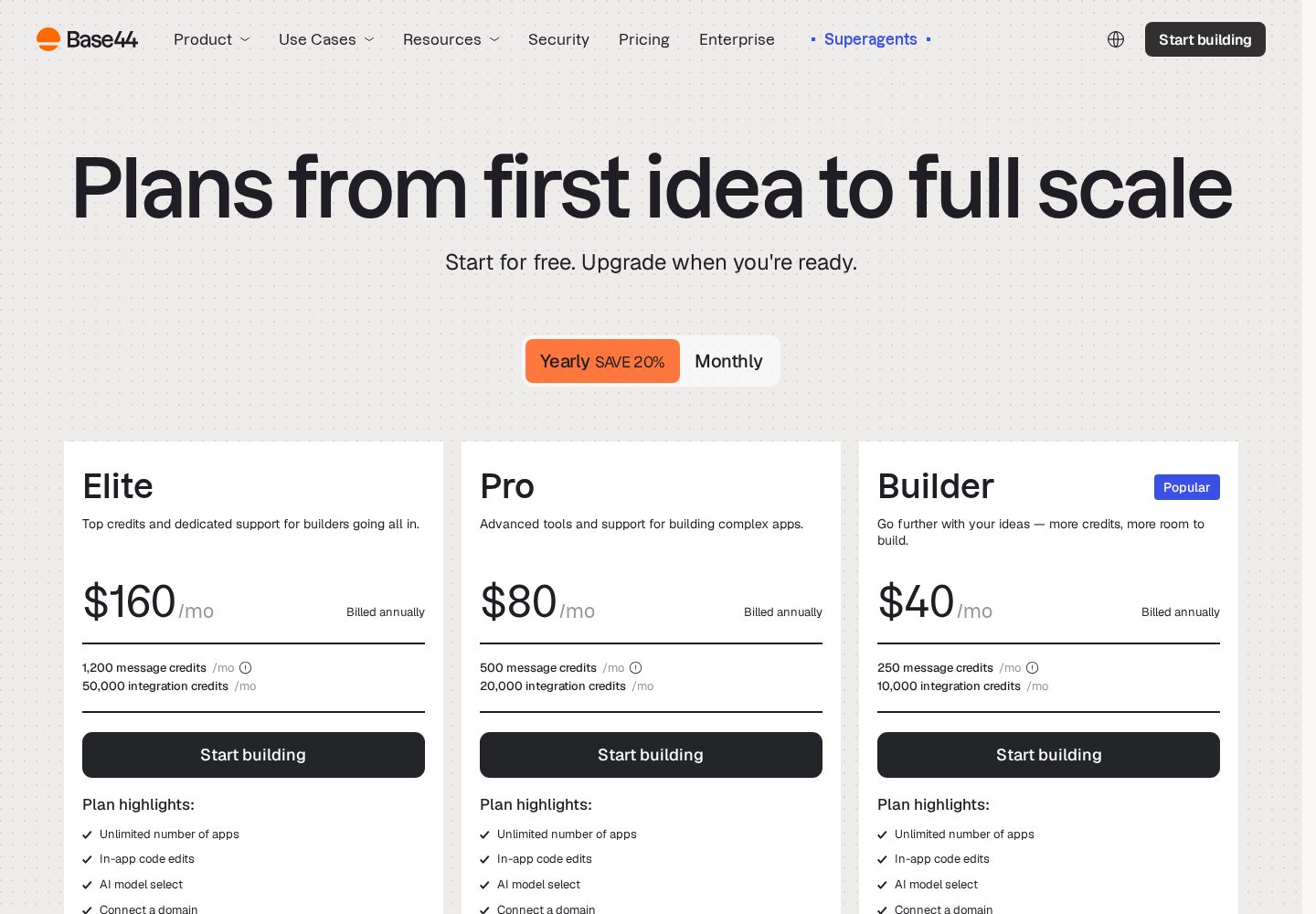
Base44 pricing plans
The official pricing page separates plans by monthly message credits, integration credits, and team features.
View official source: Base44 pricing pageIs Base44 worth the money?
The free plan is a real evaluation tier rather than a demo. Twenty-five message credits and 100 integration credits per month across up to five apps is enough to build something small and decide whether the workflow suits you, and it includes authentication, the database and analytics rather than stripping them out.
Starter at $16/month billed annually ($20 month-to-month) suits personal projects and one-off internal tools. In practice Builder at $40/month annually ($50 monthly) is where most teams should start for work that matters: 250 message and 10,000 integration credits, plus two-way GitHub sync and AI model selection. GitHub sync is the feature we would not build a business tool without, because it converts your app from something living inside a vendor into a repository you control.
Pro ($80/month annually) and Elite ($160/month annually) buy headroom rather than new capability — more credits, early beta access and premium support. If you are consistently exhausting Builder's credits, the upgrade is cheaper than the time lost waiting for the next cycle, but most single-app teams will not need it.
Compared with hiring, the maths is straightforward: a single day of agency development typically costs more than a year of Builder. Compared with other AI builders, Base44 is mid-priced — cheaper than AgentUI's $50 entry point, slightly above Lovable's $25 Pro plan — and the fairest way to read it is that you are paying for the included backend and hosting, not just for generation.
Base44 vs the alternatives
Against Lovable, the difference is emphasis. Lovable produces noticeably more polished interfaces and gives you a conventional codebase with two-way GitHub sync on every relevant plan, which makes it the better choice for a customer-facing SaaS product you expect a developer to inherit. Base44 wins on getting business logic, roles and data structures right first time, which is what internal tools actually live or die on.
Against AgentUI, the question is whether you want a human safety net. AgentUI includes white-glove onboarding with a real engineer on every paid plan and adds SSO, audit logs and on-premise deployment — genuinely useful if IT has to sign off on the tool. Base44 is cheaper to start, faster on your own, and has a free tier AgentUI does not offer.
Against Bolt.new, there is barely a contest for this use case. Bolt is superb for scaffolding a project you intend to develop conventionally, but Base44's included database, auth and hosting are exactly what a non-technical team needs and exactly what Bolt leaves to you.
- Choose Base44 for internal tools, business apps and anything where data and roles matter most.
- Choose Lovable for polished, customer-facing web products and design quality.
- Choose AgentUI when enterprise controls and human support outrank price.
- Choose Bolt.new when a developer will take the code and run with it.
Security, ownership and the production question
Base44's pricing page is explicit that you own the code, data and users in your apps, and Builder and above include two-way GitHub sync, so an exit route exists. That answers the ownership question better than most builders in this category, but it does not answer the readiness question.
An AI-generated application is a first draft of a system, not a hardened one. Before a Base44 app handles customer records, payments or anything regulated, have someone competent check three specific things: that permission rules genuinely block the actions they appear to block when tested as each role, that no sensitive keys or credentials sit anywhere the browser can reach, and that the data model will not corrupt records under concurrent edits.
None of this is a criticism unique to Base44 — every tool in this ranking shares it. It is the reason our score stops at 9.9 rather than a perfect ten, and the reason we recommend a deliberate review step in any launch plan rather than trusting a green preview.
Who should use Base44?
Operations, HR and finance teams building internal tools, and non-technical founders who want screens plus data working quickly without touching infrastructure.
Who should look elsewhere
Experienced developers who want fine-grained architectural control from the first commit, and teams that need predictable usage costs or highly regulated production workflows without extensive independent testing.
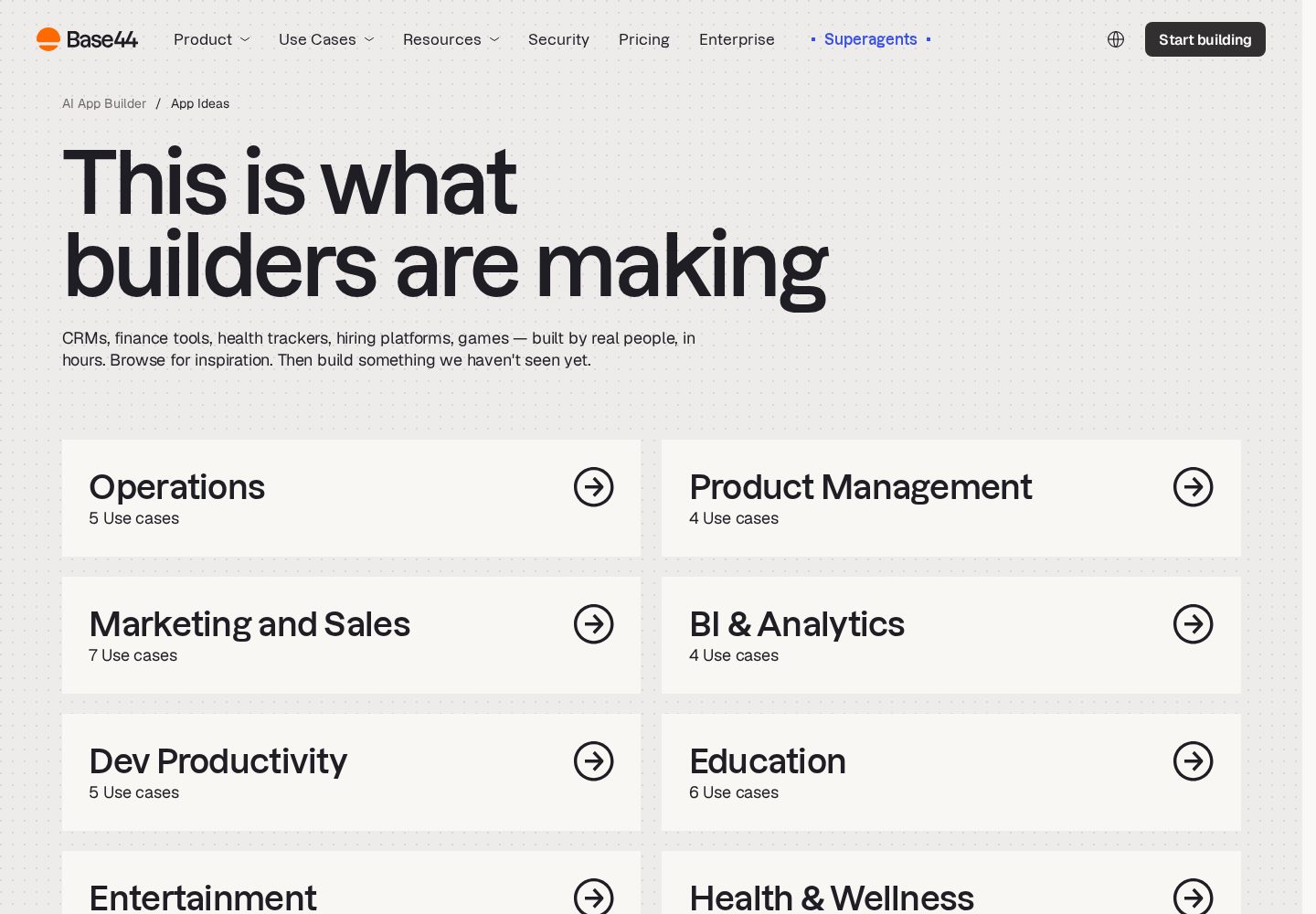
Base44 use cases
Base44 groups its examples around operational tools, product workflows, marketing, analytics, and education.
View official source: Base44 use-cases pageFinal verdict
Rated 9.9/10 and our top pick for non-technical builders. Base44 combines one of the quickest prompt-to-app workflows with a database, authentication, analytics and hosting that work without separate setup. It loses points for its two-part credit system and for the testing still required before a generated app is ready for important production data.
Base44 FAQ
How much does Base44 cost?
Free to start; paid plans run from $16 to $160 per month when billed annually, or $20 to $200 month-to-month. Prices and credit allowances were verified on Base44's official pricing page on 20 September 2026.
Does Base44 include a database?
Yes — database, authentication and analytics are built into every app.
Can I edit or export the code?
Yes. Paid plans include in-app code editing, and Builder or higher includes two-way GitHub sync. Base44 states that you own the code, data and users in your apps.
Is Base44 better than Lovable?
For internal tools, business apps and anything driven by data and user roles, Base44 was faster and more reliable in our testing, which is why it ranks first. For polished customer-facing products and design quality, Lovable is the stronger choice.
Can non-technical people really use Base44?
Yes — it is the builder we recommend most often to non-developers. You describe the app in business language and refine it conversationally; the database, logins and hosting are handled for you.
What are message credits and integration credits?
Message credits are consumed when the AI makes changes to your app. Integration credits are consumed when your app calls external services or APIs, including after launch. They are metered separately, so both matter when estimating cost.
Can I use Base44 for a real production app?
Many teams do, but treat the generated app as a strong first version. Test permissions as each user role, confirm no credentials are exposed to the browser, and review the data model before putting sensitive information into it.
Continue exploring
Related AppRank guides
Related comparisons
Relevant buying guides
Not Sure Which AI App Builder to Choose?
Get our free AI App Builder comparison guide.
No sign-up is required to read any comparison on this site.