

Bolt.new Review
The quickest way to test a web idea and walk away with a normal codebase. Best treated as a superb starting point rather than the place a product lives long term.
Is Bolt.new worth it? The short answer
Bolt.new is the fastest way to turn an idea into a running web project and the best AI builder for developers, scoring 9.6/10. Built on StackBlitz, it gives you a complete development environment in the browser — file tree, terminal, live preview — generated from a prompt in seconds, and what you get is an ordinary codebase you can download or push to GitHub. It is a superb starting point rather than a place a product lives permanently: backend depth is lighter than the full-stack builders and token limits bite on larger projects.
Key takeaways
- Seconds from prompt to a real, running project in the browser with nothing installed locally.
- Output is a conventional web project, not a proprietary export — download it or sync to GitHub.
- Free tier gives 300K tokens per day and 1M per month; Pro is $25/month, Teams around $30 per member.
- Supabase and Netlify integrations cover data and deployment, but backend depth is thinner than Lovable or Base44.
- Token limits are the most common frustration on multi-screen builds, and free-tier apps carry Bolt branding.
Affiliate disclosure — Some links on this website are affiliate links. If you click a link and purchase a product or sign up for a service, we may receive a commission at no additional cost to you. Our rankings and editorial opinions are formed independently of affiliate compensation. Read the full disclosure.
What is Bolt.new?
Bolt.new is an in-browser AI development environment from StackBlitz that generates, runs and previews complete web projects, which you can then edit by hand or download.
Bolt.new's advantage is immediacy. Type a description, and within seconds you have a real project running in a real environment in the browser — file tree, terminal, live preview — with none of the local setup. For validating an interface idea or building a demo before a meeting, nothing here is faster. Because it is StackBlitz underneath, what you get is a conventional project rather than a proprietary export: install it locally, push it to GitHub, hand it to a developer, and it behaves like any other codebase. Where it thins out is depth. Backend work is possible through Supabase or Bolt's own database, but it is not the polished, everything-included experience Lovable and Base44 offer, and larger applications run into token limits mid-task — the most common complaint we see and one we hit ourselves on a multi-screen build. Pro at $25/month raises the ceiling considerably and removes the Bolt branding from published apps.
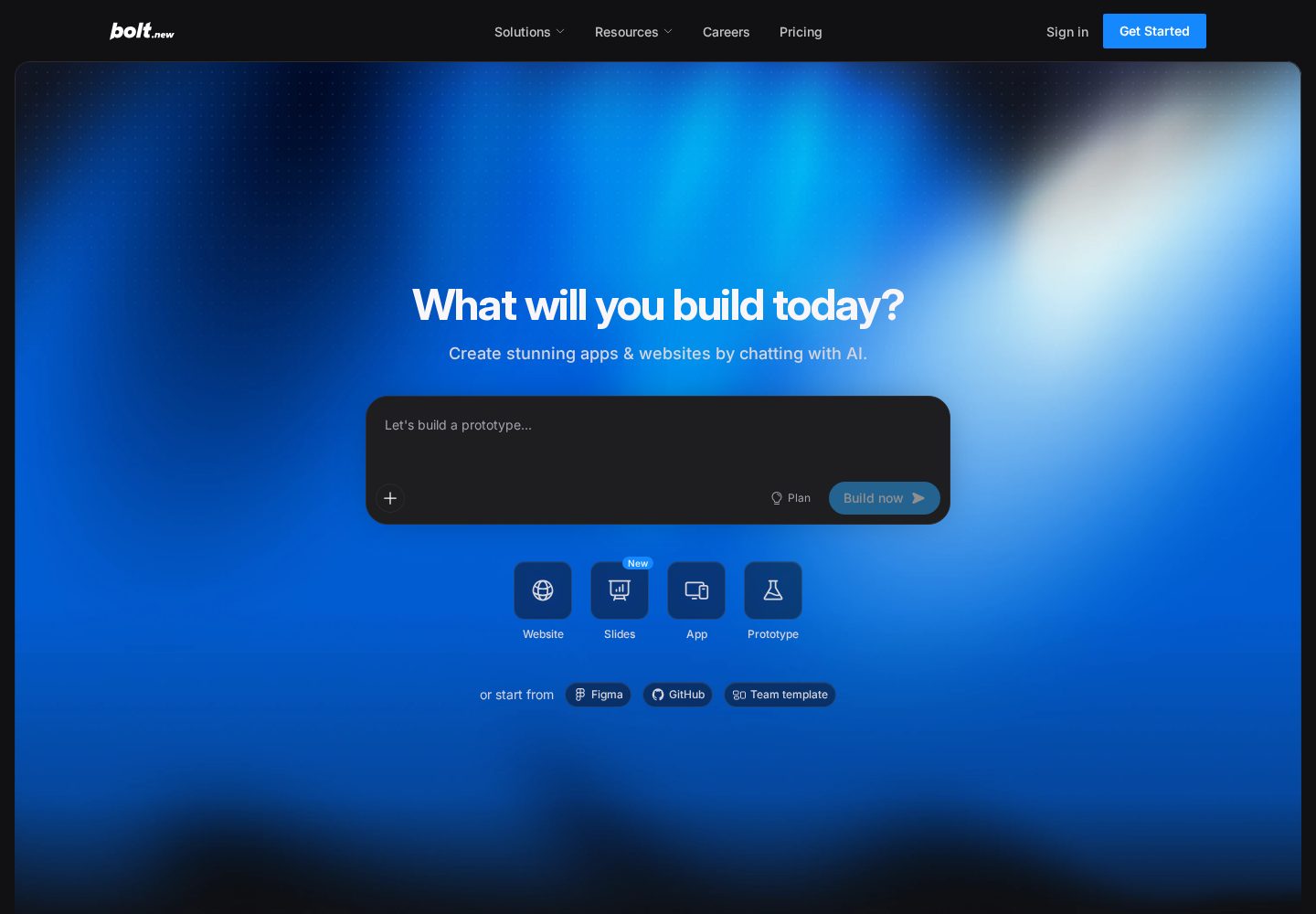
Bolt.new browser-based builder
Bolt.new starts from a prompt and keeps the generated project, preview, and code editing workflow in the browser.
View official source: Bolt.new product pageAn entire development environment in a browser tab
Bolt.new is StackBlitz underneath, and that heritage explains most of what is good about it. Type a description and within seconds you have a real project running in a real environment in the browser — a file tree you can open, a terminal you can type into, a live preview updating as the code changes. There is no install step, no dependency resolution, no environment to configure.
The crucial consequence is that what Bolt produces is not a special Bolt artefact. It is an ordinary web project. You can download it, open it in your own editor, install it locally and continue working as though an AI had never been involved. Among AI builders, that is the cleanest possible answer to the lock-in question, because there is nothing to be locked into.
For validating an interface idea, building a demo before a meeting, or exploring an unfamiliar framework, we have not found anything faster. Being able to send a colleague a URL that is simultaneously the app, the code and the editor removes a surprising amount of friction from early-stage work.
Where it shines and where it thins out
Front-end heavy work is Bolt's strongest territory. Our booking page scaffolded almost instantly with a sensible component structure, and iterating on layout and interaction was quick because the feedback loop is so tight.
Backend work is possible but noticeably less integrated. Supabase connects cleanly and there is a built-in database option, yet compared with Lovable or Base44 — where authentication, roles and storage simply exist — you are assembling rather than requesting. For a developer that is fine, sometimes preferable. For a non-technical founder it is the step where progress stalls.
Token limits are the constraint we hit hardest, and the complaint we see most often from other users. On a multi-screen build the environment stops mid-task once the allowance is exhausted, which is more disruptive than a slow response because you lose momentum in the middle of a change. Pro at $25/month raises the ceiling from 1M to at least 10M tokens a month and removes the daily cap, and for anyone using Bolt seriously it is not an optional upgrade.
Our approvals workflow test also confirmed the general rule for AI code generation: the more idiosyncratic the business logic, the more supervision it needs. Bolt's advantage is that when the AI gets stuck, you are already sitting in a code editor and can simply fix it.
Key features
In-browser environment
Edit, run and preview a real project without local setup.
Prompt-driven scaffolding
Generates a complete starting project from a description.
Deploy to Netlify
One-click publishing from inside the editor.
Database options
Connect Supabase or use Bolt's built-in database.
How we scored Bolt.new
We ran Bolt.new through the same three reference builds as every other platform here and additionally assessed it the way a developer would: how clean the generated project is, whether it runs locally without modification, and how it behaves when handed to someone who did not write the prompts. Token limits were tested by pushing a multi-screen build until we hit them. Pricing was read from bolt.new/pricing on 11 September 2026.
| Criterion | Score | Notes |
|---|---|---|
| Speed to first resultNothing in this ranking produces a running project faster. | 10.0 | Nothing in this ranking produces a running project faster. |
| Developer experienceA real environment: terminal, file tree, live preview, no setup. | 9.9 | A real environment: terminal, file tree, live preview, no setup. |
| Code portabilityStandard project; download or push to GitHub freely. | 10.0 | Standard project; download or push to GitHub freely. |
| Backend depthSupabase and a built-in database, but less integrated than rivals. | 8.8 | Supabase and a built-in database, but less integrated than rivals. |
| Suitability for non-developersUsable, but you benefit from reading code. | 8.5 | Usable, but you benefit from reading code. |
| Value on the free tierGenuinely workable for experiments, with Bolt branding attached. | 9.4 | Genuinely workable for experiments, with Bolt branding attached. |
| Overall | 9.6 | Out of 10 |
Pros and cons
Pros
- Whole development environment runs in the browser, nothing to install
- Very fast first result for front-end heavy projects
- Downloads as a normal project you can open in any editor
- Supabase and Netlify integrations for data and deployment
- Free tier is workable for small experiments
Cons
- Token limits bite quickly on larger projects
- Backend depth is thinner than a full IDE or full-stack builder
- Free-tier apps carry Bolt branding
Pricing
| Plan | Price | Notes |
|---|---|---|
| Free | $0 | 300K tokens/day, 1M tokens/month, hosting with Bolt branding |
| Pro | $25/mo | From 10M tokens/month, no daily cap, no Bolt branding |
| Teams | ~$30/member/mo | Team workspaces and shared billing |
Last verified 11 September 2026 against Bolt.new's official pricing page. Prices change often — always confirm before buying.
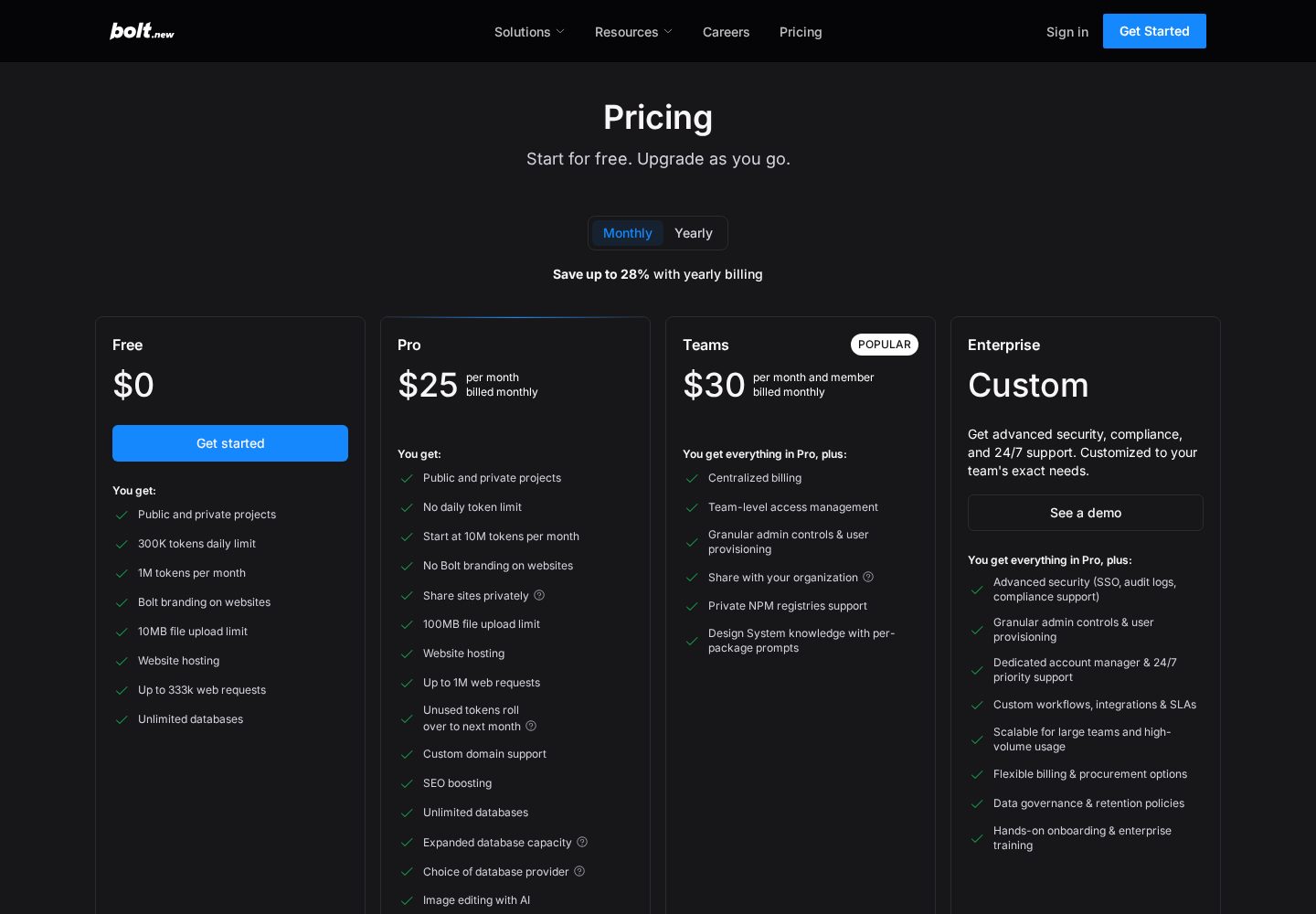
Bolt.new pricing plans
Bolt.new's official pricing compares token allowances, hosting, branding, and collaboration features.
View official source: Bolt.new pricing pageBolt.new pricing and what it buys you
The free tier is unusually workable: 300K tokens per day and 1M per month, with hosting included, in exchange for Bolt branding on published apps. For experiments and learning, you may never need to pay.
Pro at $25/month is the plan for real use. It lifts the monthly allowance to at least 10M tokens, removes the daily cap that interrupts flow, and strips the branding from published apps. Teams at around $30 per member per month adds shared workspaces and consolidated billing.
Compared with Lovable at the same $25, the two are aimed at different people. Lovable's credits buy you a finished product with its infrastructure handled; Bolt's tokens buy you generation inside an environment where you do the assembling. Developers usually get more out of Bolt per pound; non-developers usually get more out of Lovable.
Bolt.new vs Lovable, Base44 and AgentUI
Lovable is the closer comparison and the better choice for anyone who wants an application that keeps running without them. Bolt gives you a codebase; Lovable gives you a product with the codebase attached. If you will never open the code, Bolt's main advantage is wasted on you.
Base44 sits further away still. It is built for non-technical teams producing business tools with data and roles, an audience Bolt does not target. Where Bolt beats it is the moment a developer is involved from day one and wants the project to be ordinary.
AgentUI does not overlap meaningfully — different buyer, different problem, different price bracket.
- Choose Bolt.new when a developer will own the project.
- Choose Lovable when the app must run itself in production.
- Choose Base44 when data, roles and internal workflows are the point.
- Use Bolt alongside the others: prototype here, build properly elsewhere.
Taking a Bolt project to production
Because the output is a standard project, production readiness is a conventional software question rather than a platform one. You are responsible for hosting, environment variables, database rules and the usual security review — Netlify deployment is one click, but the decisions underneath it are yours.
Two things catch people out. First, anything generated with API keys typed into the front end will expose them; move credentials to server-side environment variables before publishing. Second, if you connect Supabase, the row-level security rules protecting your data are not configured by default, and an app that works perfectly in preview can be wide open in production.
Handled deliberately, none of this is difficult, and the fact that it is normal engineering rather than a proprietary process is exactly why developers like Bolt. Just do not mistake a working preview for a deployed, secured application.
Who should use Bolt.new?
Developers and technical founders prototyping web apps quickly, and anyone who wants AI scaffolding without giving up an ordinary codebase.
Who should look elsewhere
Non-technical users who want an app that runs itself in production, and teams building large, data-heavy applications.
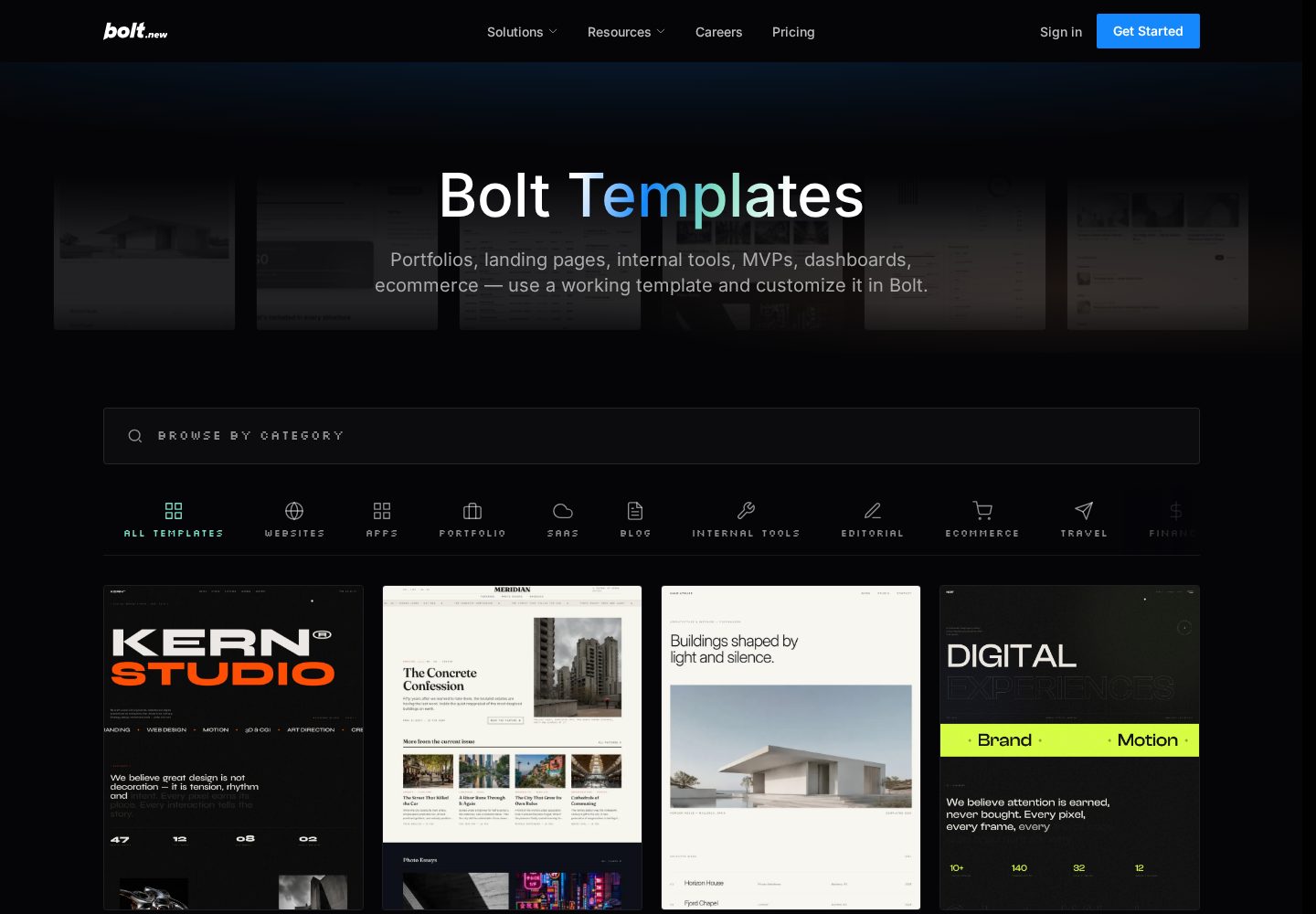
Bolt.new templates
Bolt's template library includes starting points for dashboards, storefronts, portfolios, and other web products.
View official source: Bolt.new templates libraryFinal verdict
The quickest way to test a web idea and walk away with a normal codebase. Best treated as a superb starting point rather than the place a product lives long term.
Bolt.new FAQ
Is Bolt.new free?
Yes, with 300K tokens per day and 1M per month; Pro is $25/month and Teams around $30 per member (verified 11 September 2026).
Can I download my project?
Yes. Projects are standard web projects you can download or sync to GitHub.
Does Bolt handle databases?
It integrates with Supabase and offers a built-in database, though backend depth is lighter than full-stack builders.
Is Bolt.new good for beginners?
It is usable without coding, but it assumes more comfort with code than Lovable or Base44. Beginners who want an app that runs itself in production are better served by those two.
What happens when I run out of tokens on Bolt.new?
Generation stops until the allowance resets. The free tier caps at 300K tokens per day and 1M per month; Pro at $25/month raises the monthly ceiling substantially and removes the daily cap.
Can I move a Bolt.new project elsewhere?
Yes, easily. Projects are standard web projects — download them or sync to GitHub and continue in any editor or host.
Does Bolt.new work with databases?
Yes, through a Supabase integration and a built-in database option, though the experience is less integrated than the full-stack builders ranked above it.
Continue exploring
Related AppRank guides
Relevant buying guides
Not Sure Which AI App Builder to Choose?
Get our free AI App Builder comparison guide.
No sign-up is required to read any comparison on this site.