Bolt.new vs Higgsfield: Which AI App Builder Is Better?
A browser-based AI web development environment compared with a cinematic AI content studio for images, ads and video.
Affiliate disclosure — Some links on this website are affiliate links. If you click a link and purchase a product or sign up for a service, we may receive a commission at no additional cost to you. Our rankings and editorial opinions are formed independently of affiliate compensation. Read the full disclosure.

Bolt.new
Fast in-browser prototyping of web apps
Browser-based AI coding environment for spinning up web projects from a prompt.

Higgsfield
Creators and marketers who need cinematic AI video and images, not code
Multi-model AI platform for generating cinematic video and images from a prompt.
Bolt.new vs Higgsfield: official product visuals
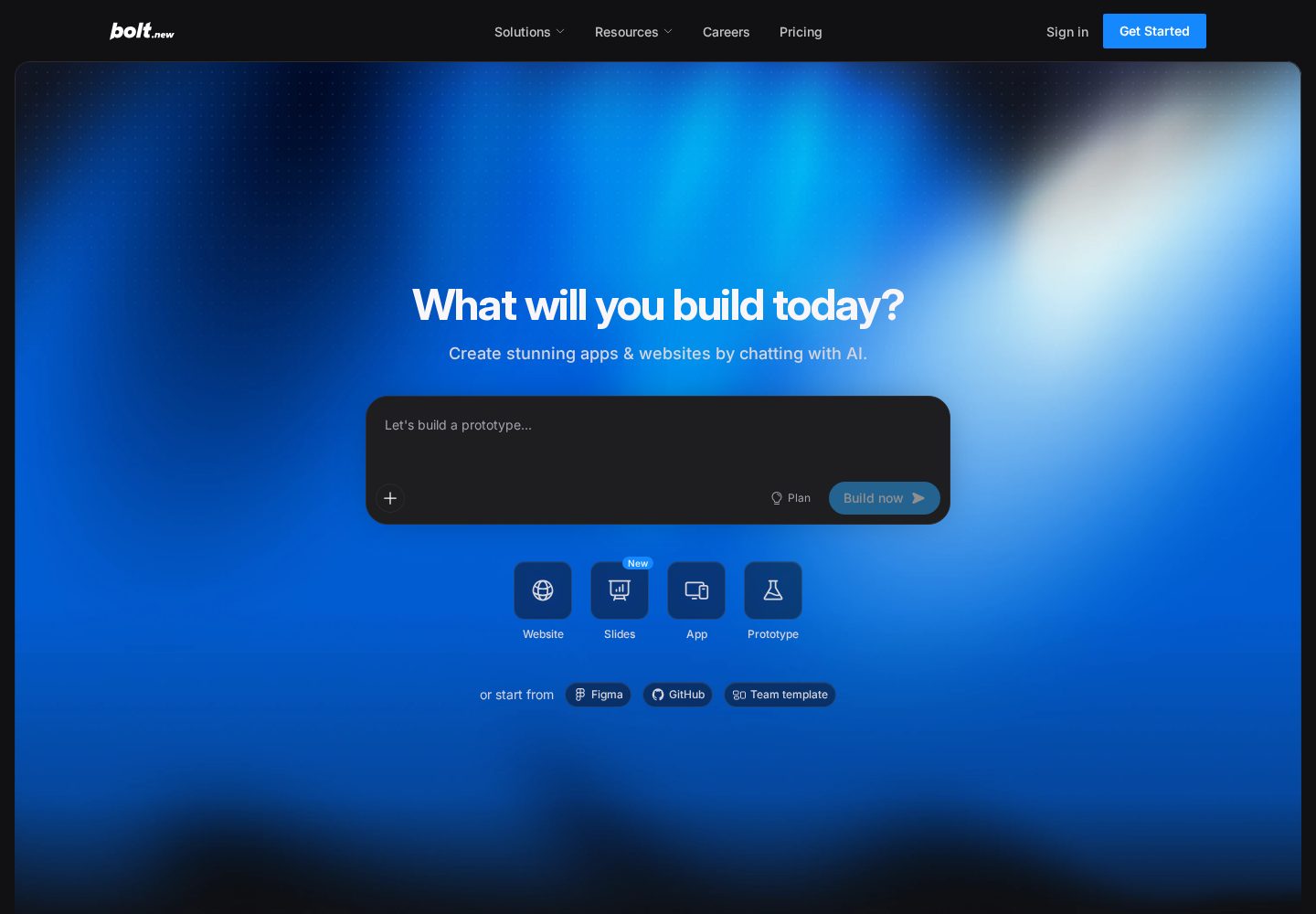
Bolt.new browser-based builder
Bolt.new starts from a prompt and keeps the generated project, preview, and code editing workflow in the browser.
View official source: Bolt.new product page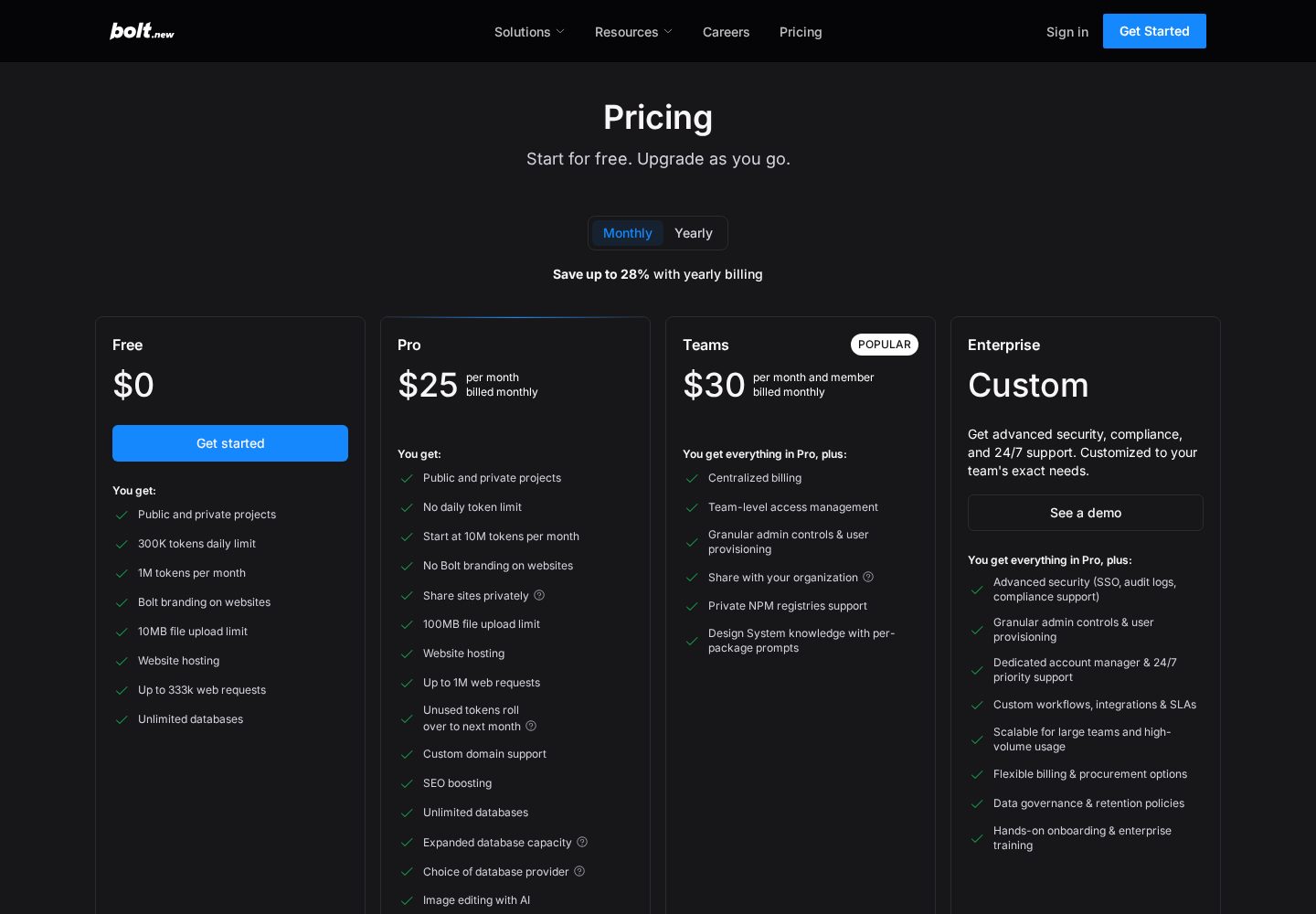
Bolt.new pricing plans
Bolt.new's official pricing compares token allowances, hosting, branding, and collaboration features.
View official source: Bolt.new pricing page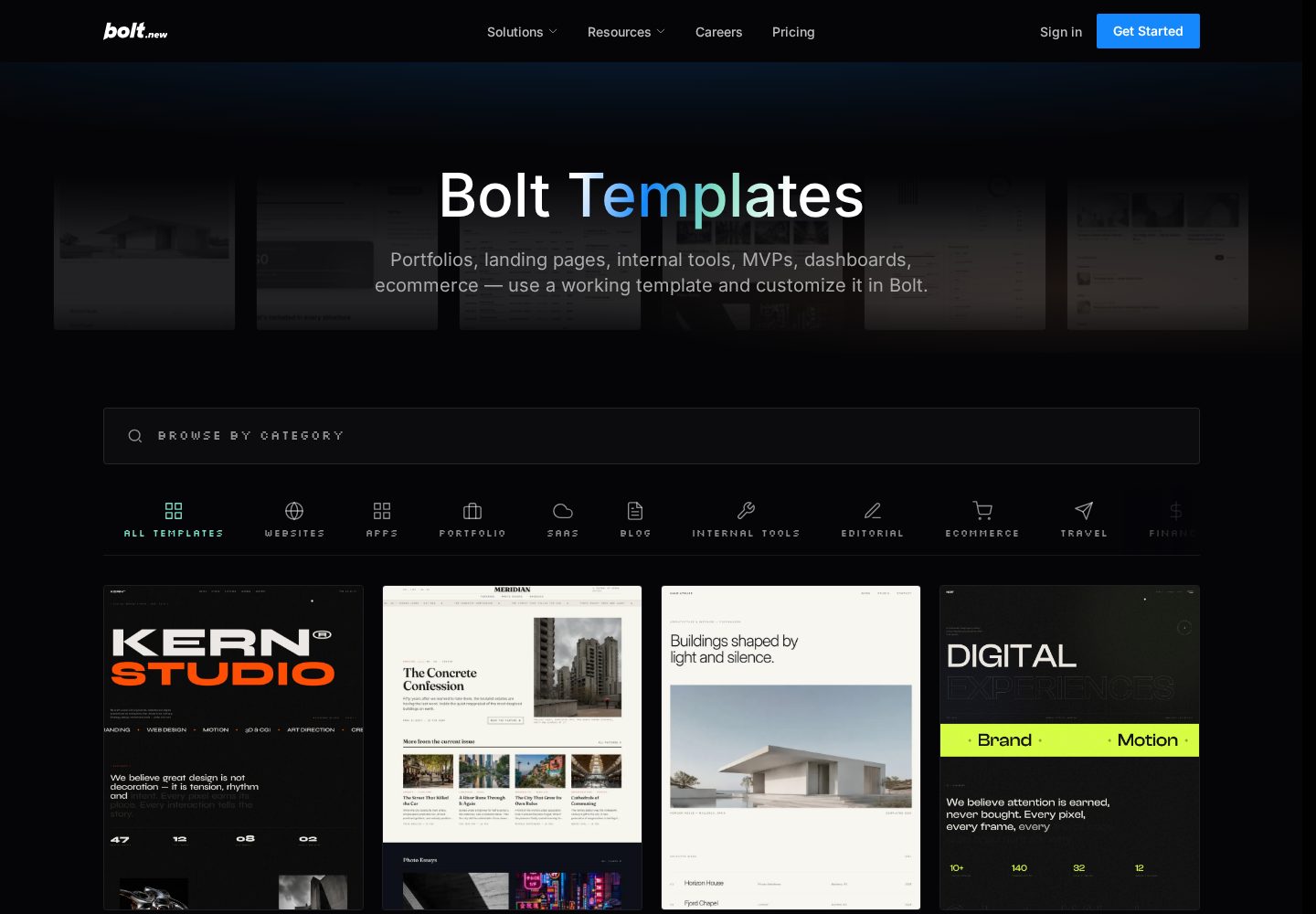
Bolt.new templates
Bolt's template library includes starting points for dashboards, storefronts, portfolios, and other web products.
View official source: Bolt.new templates library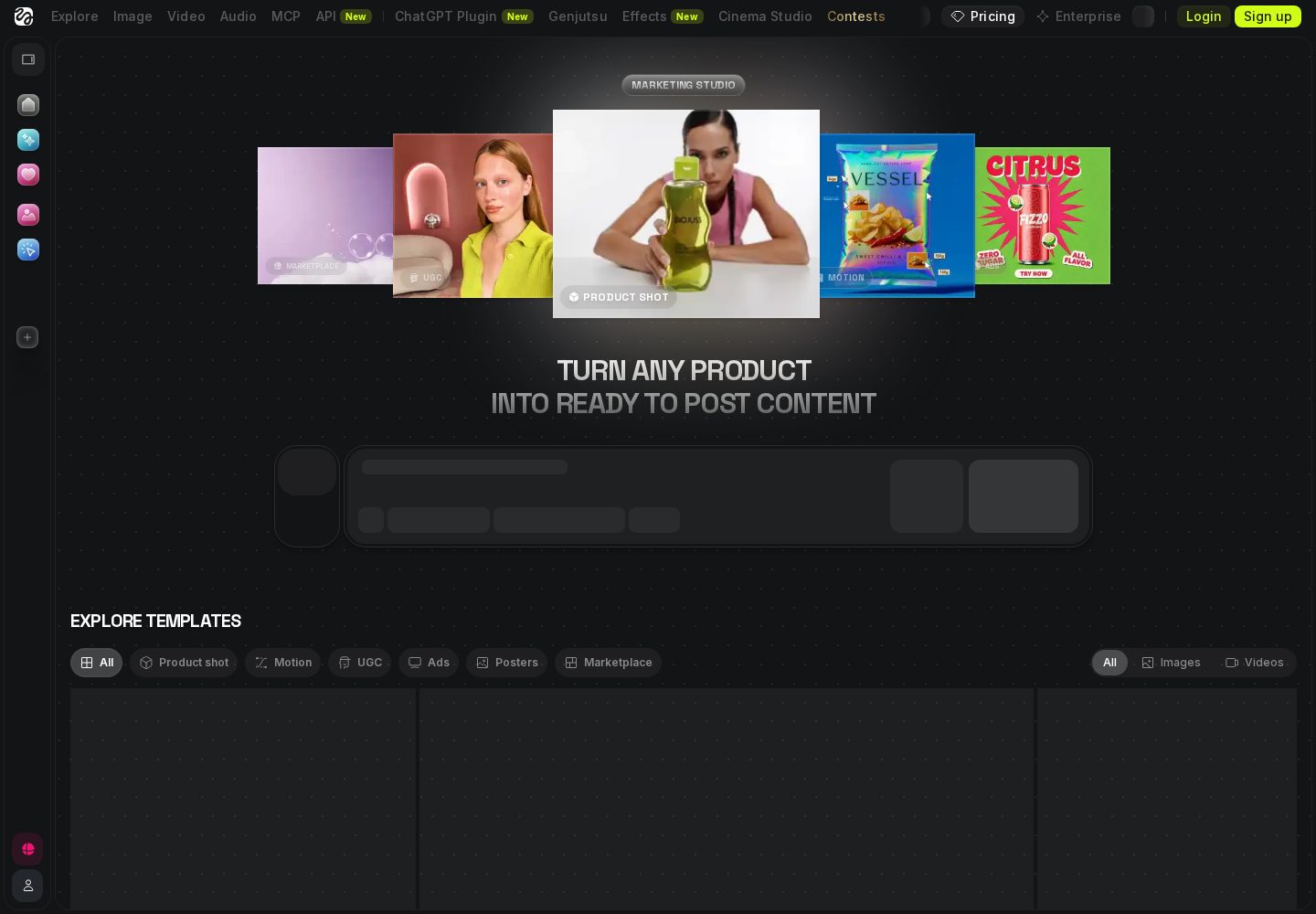
Higgsfield Marketing Studio
Higgsfield's visual workspace is built for generating product imagery, video, and campaign creative rather than software.
View official source: Higgsfield Marketing Studio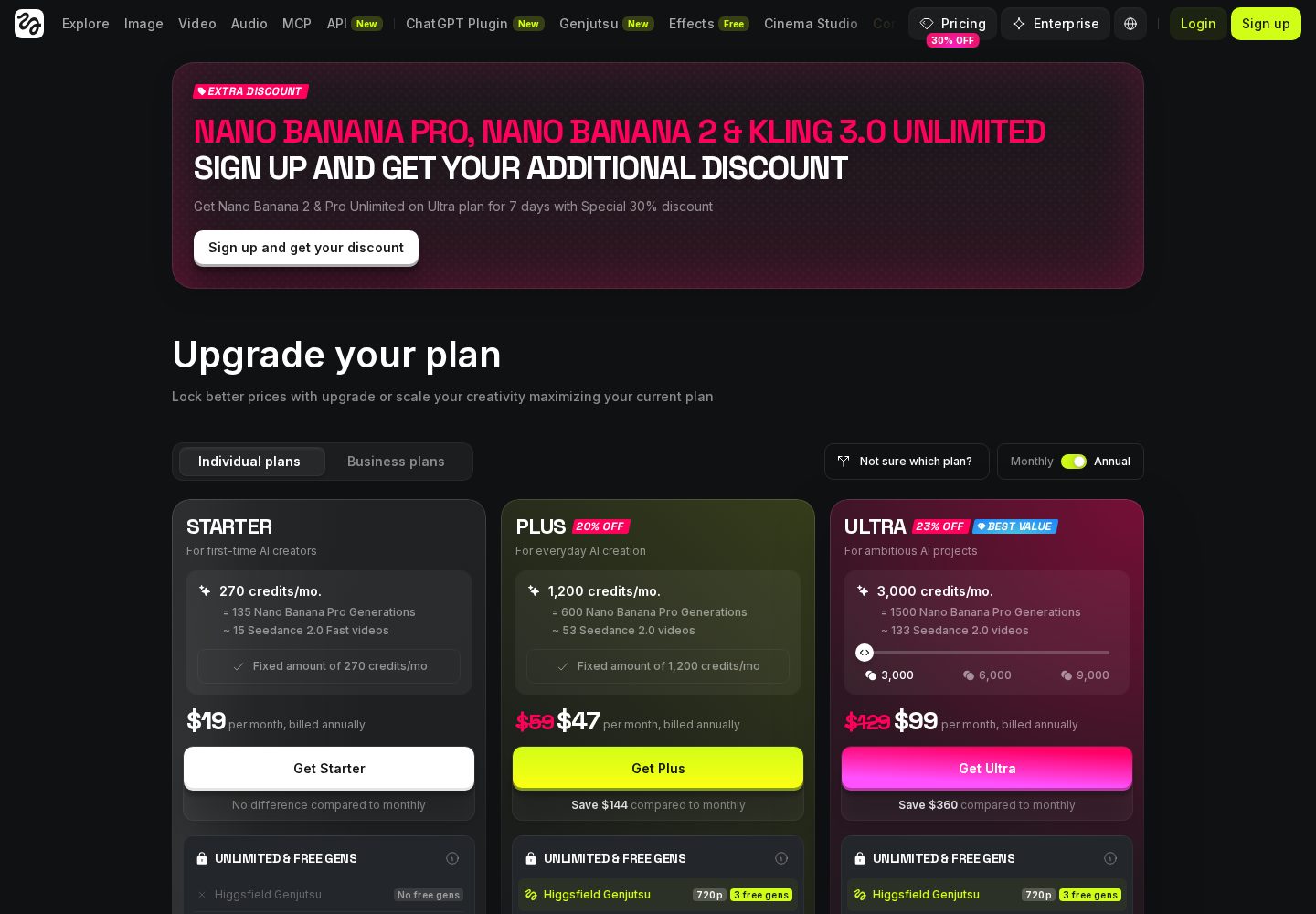
Higgsfield pricing plans
Higgsfield's upgrade page compares monthly credits, model access, and generation limits across paid plans.
View official source: Higgsfield pricing page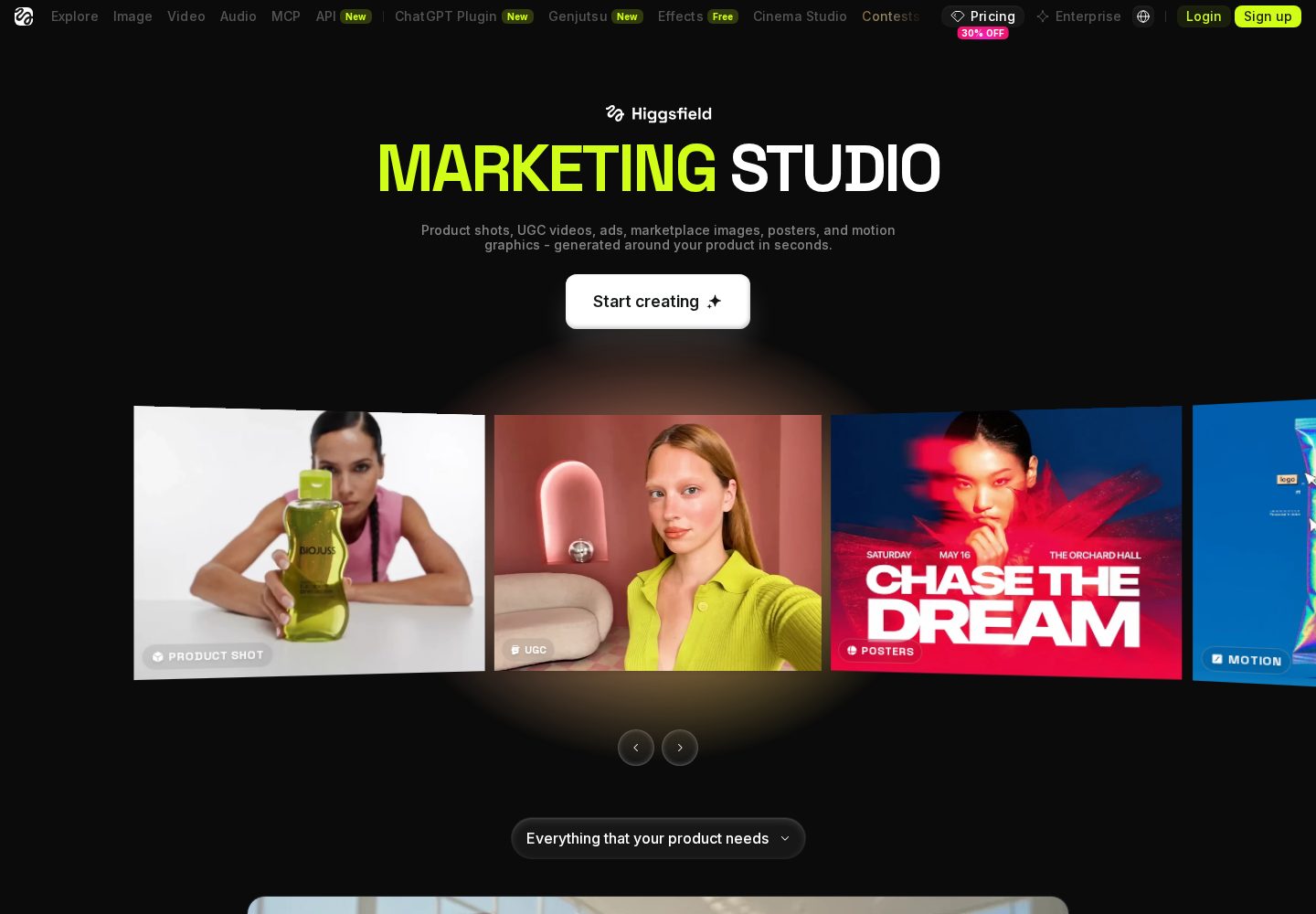
Higgsfield marketing use cases
Marketing Studio examples focus on product shots, motion creative, user-generated-style ads, and social campaigns.
View official source: Higgsfield Marketing Studio overviewBolt.new or Higgsfield? The short answer
Choose Bolt.new when you need an interactive web prototype or application code that a developer can continue editing. Choose Higgsfield when you need cinematic video, product imagery or campaign content rather than an application. Bolt.new turns prompts into running web projects and exposes the code in a browser development environment. Higgsfield turns prompts into videos and images through specialized media models. Both make creation faster, but Bolt produces software while Higgsfield produces content.
Key takeaways
- Bolt.new is positioned for fast in-browser prototyping of web apps; Higgsfield is positioned for creators and marketers who need cinematic ai video and images, not code.
- Bolt.new: Free plan with 1M tokens/month; Pro $25/month; Teams around $30/member/month.
- Higgsfield: Free plan with limited credits; Starter $19/month (270 credits); Plus $47/month (1,200 credits); Ultra $99/month (3,000 credits); Team plans available.
- Bolt.new code export: Yes. Higgsfield code export: No.
- The right choice depends on the deliverable, who will maintain it and what happens after the first successful prompt.
Bolt.new vs Higgsfield: the core difference
Bolt.new turns prompts into running web projects and exposes the code in a browser development environment. Higgsfield turns prompts into videos and images through specialized media models. Both make creation faster, but Bolt produces software while Higgsfield produces content.
Bolt.new is an in-browser AI development environment from StackBlitz that generates, runs and previews complete web projects, which you can then edit by hand or download. Higgsfield is an AI video and image generation platform that combines multiple leading models with cinematic camera controls, aimed at creators, marketers and production teams. That distinction matters more than a checklist because it determines what exists at the end of the workflow, who can maintain it and which costs continue after launch.
The products overlap most in launch workflows. A technical founder can build the first product experience in Bolt, then create promotional stills and clips in Higgsfield. Their meters also behave similarly in one respect: concentrated iteration consumes allowances quickly.
A useful buying decision starts with a noun, not a feature: decide whether the deliverable is an application, an internal workflow, a portable codebase, or finished visual media. Then ask who owns the result after the first month. This prevents a broad label such as “AI builder” from making two unlike products appear interchangeable.
What Bolt.new and Higgsfield actually deliver
Bolt.new starts from this proposition: Browser-based AI coding environment for spinning up web projects from a prompt. In practical terms, its supported output includes web apps, prototypes. Its main integrations are Supabase, Bolt Database, Netlify deployment, GitHub.
Higgsfield starts somewhere different: Multi-model AI platform for generating cinematic video and images from a prompt. Its supported output includes ai video, ai images, and its listed integrations are Kling, Seedance, Veo, FLUX, Nano Banana and other models under one roof, Cinema Studio and Marketing Studio, MCP, CLI and Canvas workflows, Credit Packs and Auto-Refill top-ups.
Bolt.new's strongest verified advantages are whole development environment runs in the browser, nothing to install; very fast first result for front-end heavy projects; downloads as a normal project you can open in any editor. Higgsfield's are one subscription unlocks many leading video and image models instead of separate accounts; cinematic camera controls produce genuinely film-like motion from a text prompt; free plan lets you test the workflow before paying. Those lists describe different priorities, so the higher score should not be treated as a universal answer. A platform can be excellent at its intended job and still be the wrong purchase for a different output, team or level of technical confidence.
The weaknesses are equally important. For Bolt.new, the documented cautions are token limits bite quickly on larger projects; backend depth is thinner than a full ide or full-stack builder; free-tier apps carry bolt branding. For Higgsfield, they are not an app builder — it generates video and images, not applications; credits do not roll over and premium video burns through them quickly. Read those limitations as part of the product rather than edge cases: they are the areas most likely to consume time, budget or specialist help after an impressive first result.
Side by side
| Criterion | Bolt.new | Higgsfield |
|---|---|---|
| Ease of use | Straightforward, some code familiarity helps | Beginner-friendly |
| AI capabilities | Browser-based AI coding environment for spinning up web projects from a prompt. | Multi-model AI platform for generating cinematic video and images from a prompt. |
| App types | Web apps, Prototypes | AI video, AI images |
| Customisation | Whole development environment runs in the browser, nothing to install | One subscription unlocks many leading video and image models instead of separate accounts |
| Integrations | Supabase, Bolt Database, Netlify deployment, GitHub | Kling, Seedance, Veo, FLUX, Nano Banana and other models under one roof, Cinema Studio and Marketing Studio, MCP, CLI and Canvas workflows, Credit Packs and Auto-Refill top-ups |
| Pricing | Free plan with 1M tokens/month; Pro $25/month; Teams around $30/member/month | Free plan with limited credits; Starter $19/month (270 credits); Plus $47/month (1,200 credits); Ultra $99/month (3,000 credits); Team plans available |
| Free plan | Yes | Yes |
| Code / export | Yes | No |
| Best use cases | Developers and technical founders prototyping web apps quickly, and anyone who wants AI scaffolding without giving up an ordinary codebase. | Content creators, marketers and filmmakers who want professional-looking AI video and images from prompts without managing several model subscriptions. |
Category winners
We compared the current product scope, documented features, pricing, ownership options, integrations and intended audience for both platforms. Pricing was checked on the official Bolt.new and Higgsfield pricing pages in September 2026. We did not invent prompt counts, benchmark results or production claims where a direct controlled test was unavailable. Category winners therefore reflect documented capability and fit, while cross-category criteria are marked as ties when a fair like-for-like judgment is not possible.
| Category | Winner | Why |
|---|---|---|
| Web app creation | Bolt.new | Bolt generates and runs real web projects. |
| Video and image creation | Higgsfield | Higgsfield provides specialist media models and controls. |
| Source-code portability | Bolt.new | Bolt projects can be downloaded or synced to GitHub. |
| Cinematic controls | Higgsfield | Higgsfield offers camera and shot workflows unavailable in a coding environment. |
| Free evaluation | Tie | Both provide limited free plans. |
| Overall winner | Tie | Choose by software versus media output, not a shared feature score. |
Bolt.new pros & cons
Pros
- Whole development environment runs in the browser, nothing to install
- Very fast first result for front-end heavy projects
- Downloads as a normal project you can open in any editor
- Supabase and Netlify integrations for data and deployment
- Free tier is workable for small experiments
Cons
- Token limits bite quickly on larger projects
- Backend depth is thinner than a full IDE or full-stack builder
- Free-tier apps carry Bolt branding
Higgsfield pros & cons
Pros
- One subscription unlocks many leading video and image models instead of separate accounts
- Cinematic camera controls produce genuinely film-like motion from a text prompt
- Free plan lets you test the workflow before paying
- Web, Canvas, CLI and MCP workflows fit both casual creators and production pipelines
Cons
- Not an app builder — it generates video and images, not applications
- Credits do not roll over and premium video burns through them quickly
Bolt.new vs Higgsfield pricing and value
Bolt.new scores 9.6/10 in AppRank's current evaluation. It is best for fast in-browser prototyping of web apps. Its published pricing is free plan with 1m tokens/month; pro $25/month; teams around $30/member/month. A free plan is yes, code export is yes, and an included database is yes. The pricing information was checked against the vendor's official page on 11 September 2026.
Bolt.new's published tiers are Free at $0 (300K tokens/day, 1M tokens/month, hosting with Bolt branding); Pro at $25/mo (From 10M tokens/month, no daily cap, no Bolt branding); Teams at ~$30/member/mo (Team workspaces and shared billing). The lowest advertised price is not automatically the sensible production plan. Compare the allowance and ownership features on the tier you would actually use, then model a busy month rather than an ideal one.
Higgsfield scores 9.5/10 in AppRank's current evaluation. It is best for creators and marketers who need cinematic ai video and images, not code. Its published pricing is free plan with limited credits; starter $19/month (270 credits); plus $47/month (1,200 credits); ultra $99/month (3,000 credits); team plans available. A free plan is yes, code export is no, and an included database is no. The pricing information was checked against the vendor's official page on 20 September 2026.
Higgsfield's published tiers are Free at $0 (Limited set of models and a small credit allowance to try the platform); Starter at $19/mo (270 credits a month, core generation models); Plus at $47/mo (1,200 credits a month, more models and parallel generations); Ultra at $99/mo (3,000 credits a month, full model access and unlimited access to selected models). Usage-based allowances can be economical for occasional work and restrictive during concentrated build or launch periods. Seat pricing can look expensive for one person and become predictable for a team. The fairest comparison is cost per completed outcome, including the time spent correcting, exporting and maintaining it.
Ownership, export and long-term maintenance
Bolt projects can be downloaded or synced to GitHub as conventional web projects. This gives the team a clear path into local development and another host, provided someone can maintain the chosen framework, dependencies and backend integrations.
Higgsfield exports finished visual assets, not application source code. Keep high-resolution masters and the prompts and inputs required to recreate them. For commercial distribution, review the current terms attached to the service and model used.
Ownership should be tested before the project becomes important. Export a representative result, confirm what remains editable outside the service, identify any hosted data or authentication dependencies, and document how a new team member would take over. A marketing promise that “you own your work” can mean anything from downloading a media file to controlling a complete source repository.
Maintenance also changes the calculation. Prompt-led iteration is fast when the project is small, but later changes can touch neighbouring behaviour. Keep changes narrow, save working versions and retest the paths that matter after every substantial revision. If the output is code, use source control early. If it is media, preserve prompts, source assets, usage rights and approved masters so future campaigns remain reproducible.
Which workflow and team is the better fit?
Bolt belongs at the product-building desk: requirements, code, preview, deployment and developer handoff. Higgsfield belongs in the creative workflow: concepts, shots, variants and campaign assets. Use the tool whose output can be directly accepted by the next person in your process.
Bolt.new describes its ideal user as developers and technical founders prototyping web apps quickly, and anyone who wants ai scaffolding without giving up an ordinary codebase. It is less suitable for non-technical users who want an app that runs itself in production, and teams building large, data-heavy applications. That boundary is useful: it says more about likely satisfaction than a long list of capabilities that may never matter to your project.
Higgsfield is aimed at content creators, marketers and filmmakers who want professional-looking ai video and images from prompts without managing several model subscriptions. It is a weaker fit for anyone who wants to build a web app, saas product or internal tool — a prompt-driven app builder like lovable is the right category for that. If your team falls between those profiles, run the same small, realistic task in both products and judge the complete handoff, not just the first generated screen or asset.
For a fair trial, write a one-page brief with the intended user, required output, three essential actions, one difficult edge case and a definition of done. Give both platforms the same brief. Record the time to a usable result, corrections required, allowance consumed, export quality and what another person needs to continue the work. That evidence is more valuable than a generic feature count.
Limitations and risks before you commit
Bolt can reach a compelling demo faster than it reaches a durable product. Token limits become noticeable on larger builds, and data architecture, access rules and production monitoring still need technical ownership after the initial generation.
Higgsfield's premium video models can make a monthly credit allowance feel small. Results may require several attempts, and credits do not roll over. Teams should estimate usable outputs rather than raw generation count when forecasting cost.
Neither score is a substitute for checking the current terms. Product allowances and plan boundaries change frequently, which is why every pricing image and table on AppRank links to an official source and carries a verification date. Confirm the tier, renewal period, included usage, overage behaviour and cancellation terms immediately before buying.
The final check is operational. Decide who reviews generated output, who can approve a release, where backups live and how the team recovers from a bad change. AI compresses production time; it does not remove accountability. The best platform is the one whose limits your team understands and whose output can be reviewed with the skills you actually have.
Which One Should You Choose?
Choose Bolt.new to create a working web project and retain a standard codebase. Choose Higgsfield to generate campaign visuals and video. Product teams may use both in sequence: Bolt for the prototype, Higgsfield for launch assets.
Choose Bolt.new if
- Choose Bolt.new when you need an interactive web prototype or application code that a developer can continue editing.
- Whole development environment runs in the browser, nothing to install
- Very fast first result for front-end heavy projects
- Downloads as a normal project you can open in any editor
- Supabase and Netlify integrations for data and deployment
Choose Higgsfield if
- Choose Higgsfield when you need cinematic video, product imagery or campaign content rather than an application.
- One subscription unlocks many leading video and image models instead of separate accounts
- Cinematic camera controls produce genuinely film-like motion from a text prompt
- Free plan lets you test the workflow before paying
- Web, Canvas, CLI and MCP workflows fit both casual creators and production pipelines
Bolt.new vs Higgsfield: FAQs
Which is better, Bolt.new or Higgsfield?
Choose Bolt.new when you need an interactive web prototype or application code that a developer can continue editing. Choose Higgsfield when you need cinematic video, product imagery or campaign content rather than an application.
Which is cheaper, Bolt.new or Higgsfield?
Bolt.new: Free plan with 1M tokens/month; Pro $25/month; Teams around $30/member/month. Higgsfield: Free plan with limited credits; Starter $19/month (270 credits); Plus $47/month (1,200 credits); Ultra $99/month (3,000 credits); Team plans available. Compare the tier and allowance needed for your actual workload rather than the lowest headline price.
Can I try Bolt.new and Higgsfield free?
Bolt.new free plan: Yes. Higgsfield free plan: Yes. Where there is no permanent free tier, check the vendor's current trial terms.
Can I export work from Bolt.new and Higgsfield?
Bolt.new code export is listed as yes; Higgsfield code export is no. For media platforms, downloading the finished asset is different from exporting an application codebase.
How should I test Bolt.new against Higgsfield?
Give both the same realistic brief, include one difficult edge case, and compare the usable result, corrections, allowance consumed, export quality and maintenance handoff. Do not judge only the first generated preview.
Continue exploring
Related AppRank guides
Read the full reviews
Related comparisons
Relevant buying guides
Not Sure Which AI App Builder to Choose?
Get our free AI App Builder comparison guide.
No sign-up is required to read any comparison on this site.