
Base44 vs Bolt.new: Which AI App Builder Is Better?
An all-in-one no-code business app builder compared with a browser-based AI coding environment built for fast, portable prototypes.
Affiliate disclosure — Some links on this website are affiliate links. If you click a link and purchase a product or sign up for a service, we may receive a commission at no additional cost to you. Our rankings and editorial opinions are formed independently of affiliate compensation. Read the full disclosure.

Base44
Non-technical teams building full-stack business apps quickly
A no-code AI builder that generates the interface, database, authentication and hosting from a written brief.

Bolt.new
Fast in-browser prototyping of web apps
Browser-based AI coding environment for spinning up web projects from a prompt.
Base44 vs Bolt.new: official product visuals
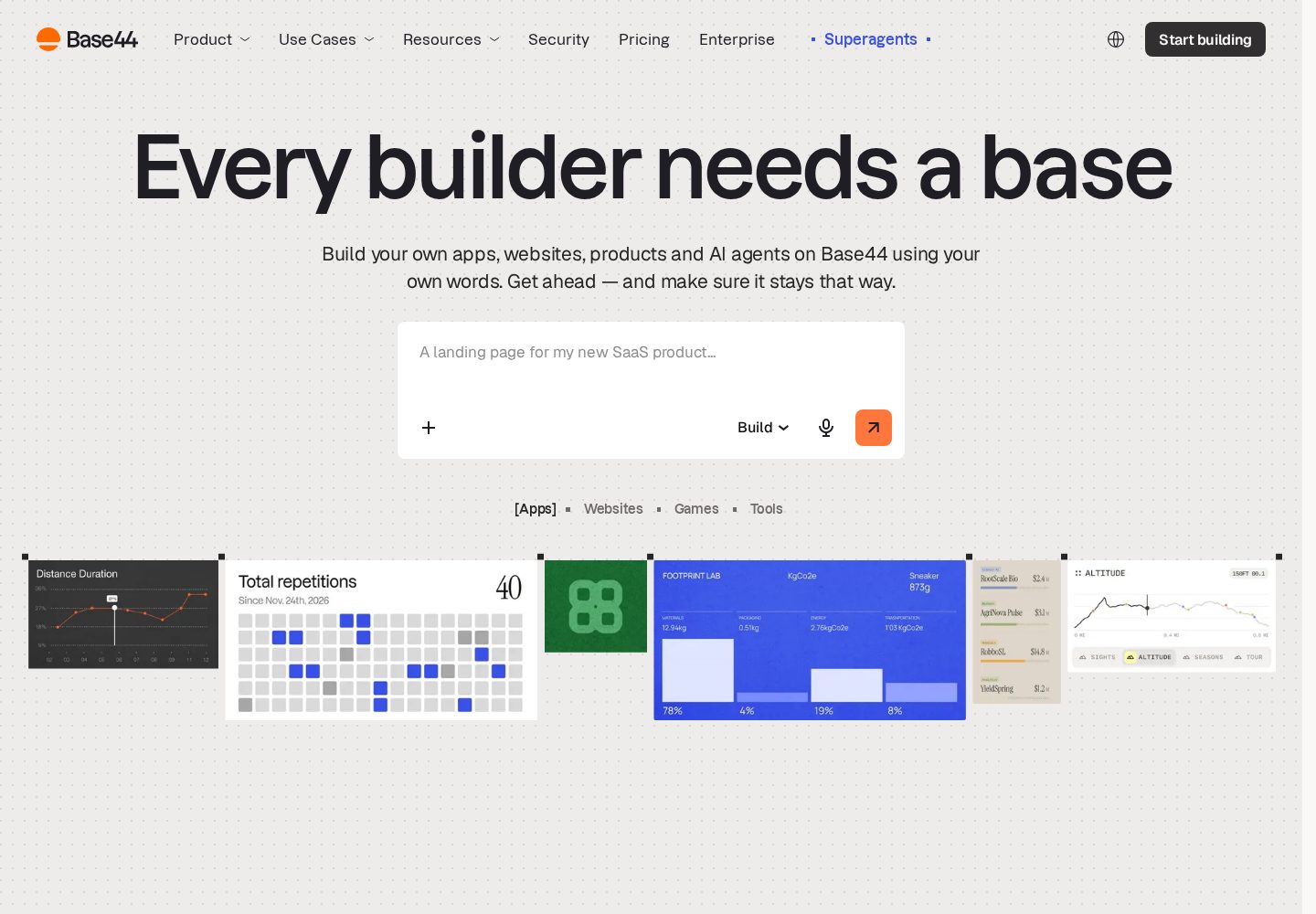
Base44 app-building interface
Base44 presents a prompt-led builder backed by ready-made app layouts and business data tools.
View official source: Base44 product page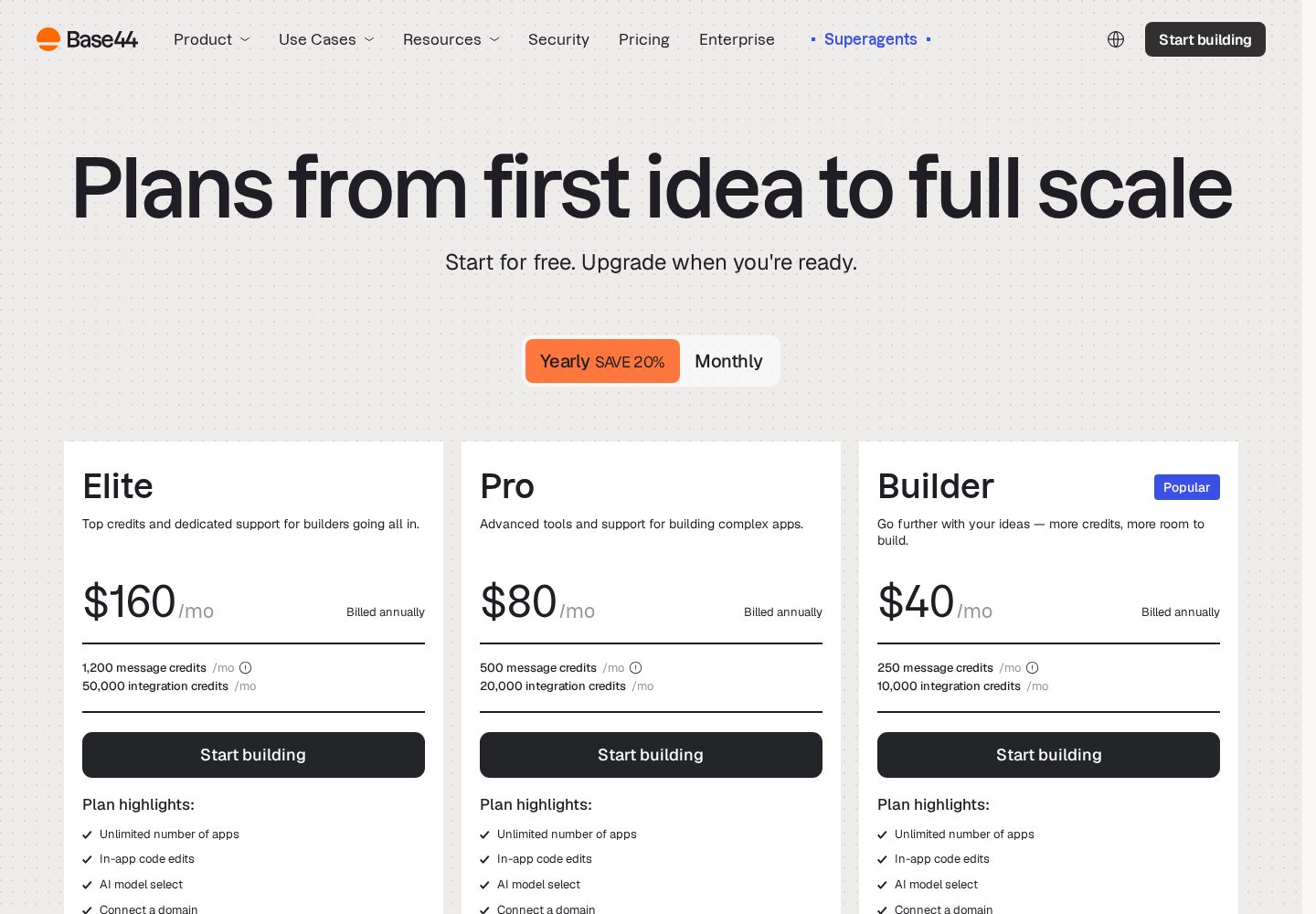
Base44 pricing plans
The official pricing page separates plans by monthly message credits, integration credits, and team features.
View official source: Base44 pricing page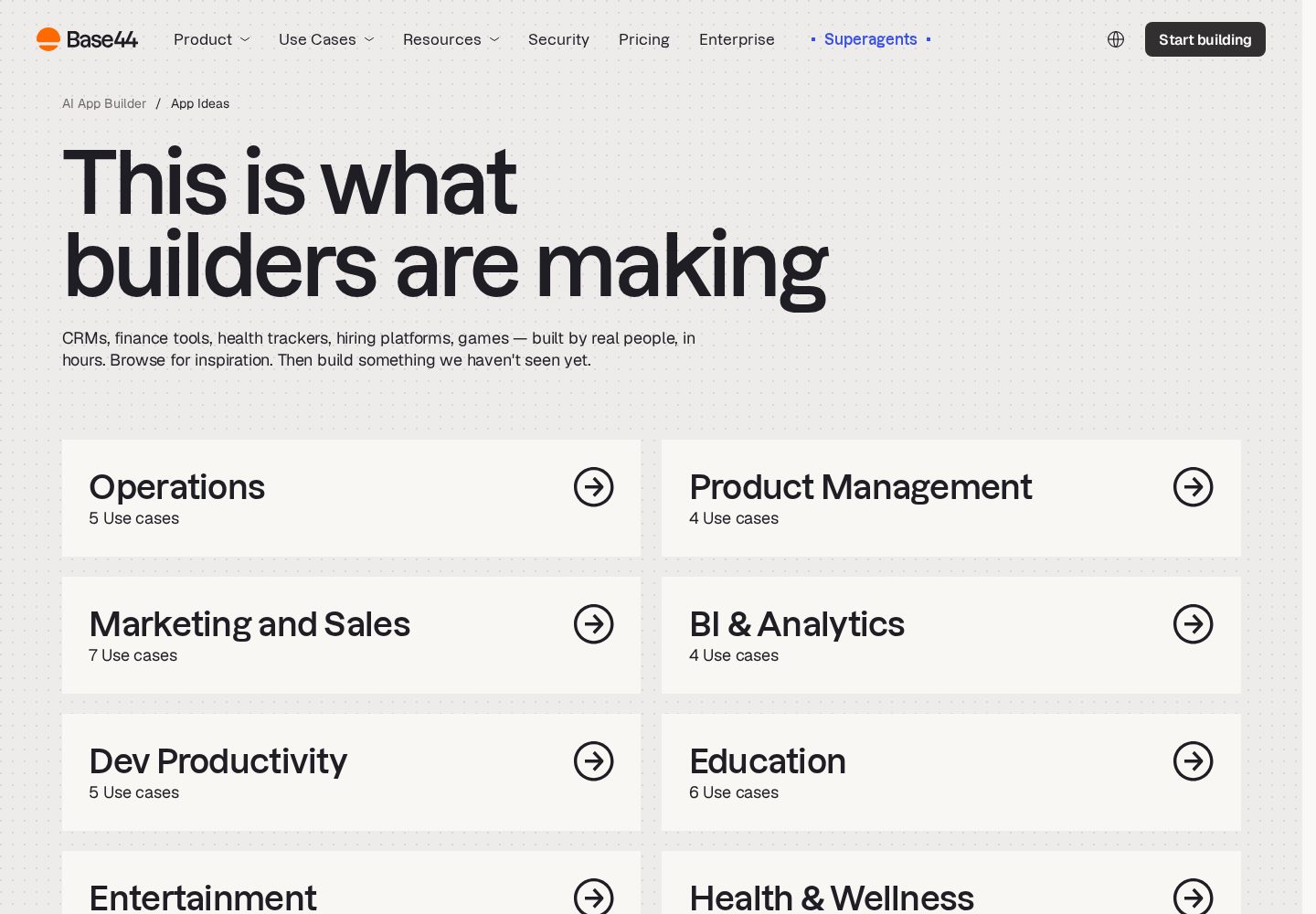
Base44 use cases
Base44 groups its examples around operational tools, product workflows, marketing, analytics, and education.
View official source: Base44 use-cases page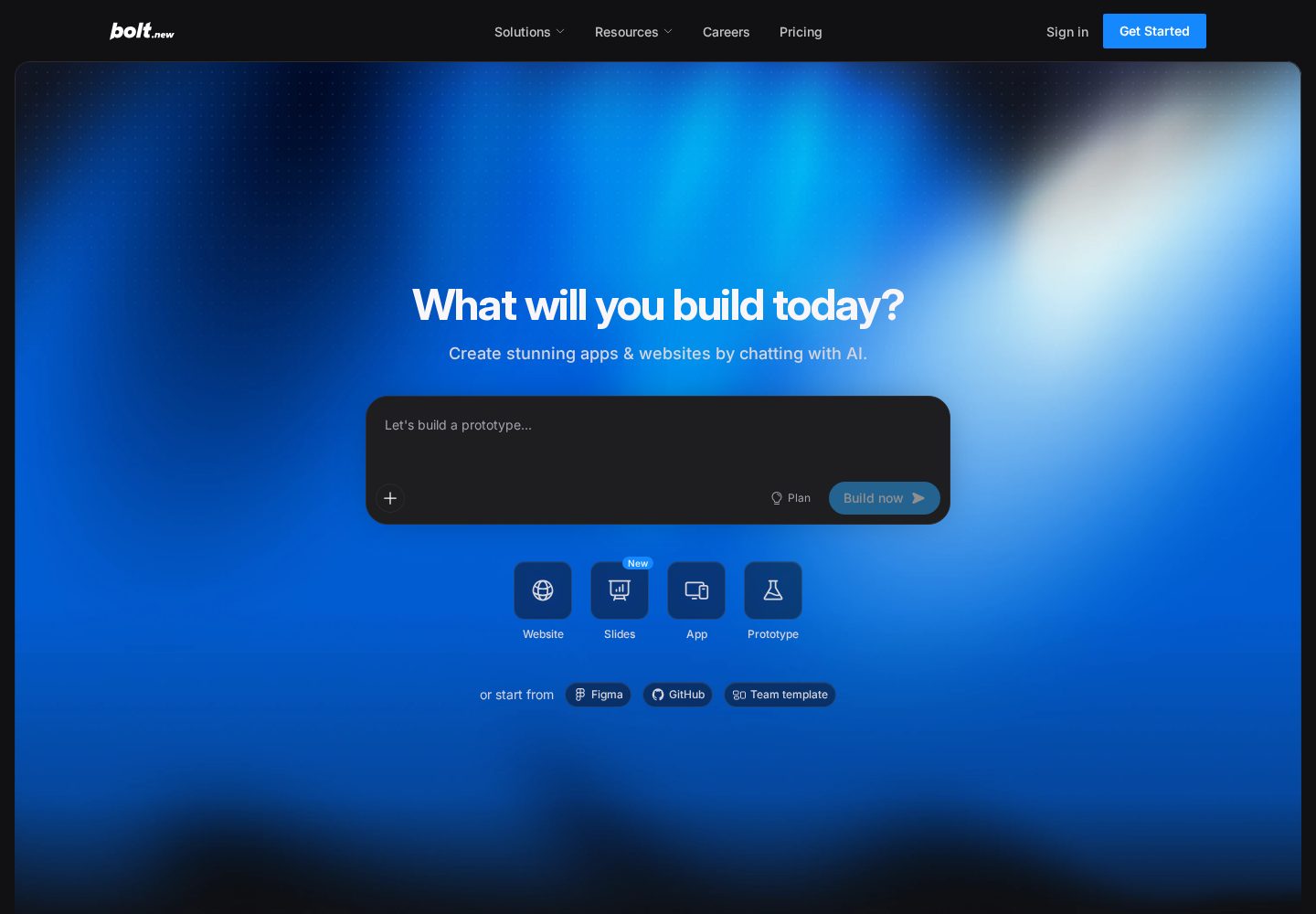
Bolt.new browser-based builder
Bolt.new starts from a prompt and keeps the generated project, preview, and code editing workflow in the browser.
View official source: Bolt.new product page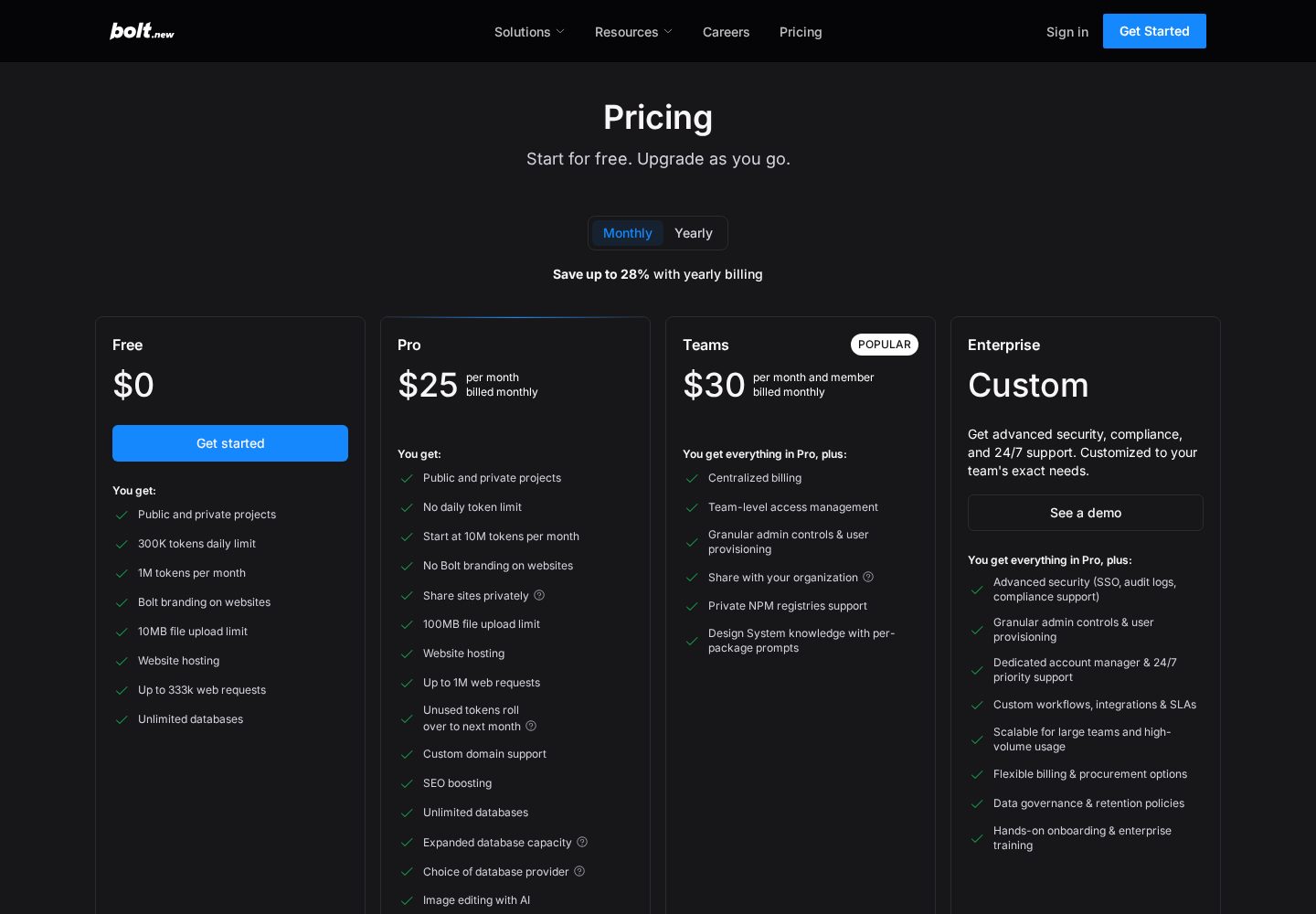
Bolt.new pricing plans
Bolt.new's official pricing compares token allowances, hosting, branding, and collaboration features.
View official source: Bolt.new pricing page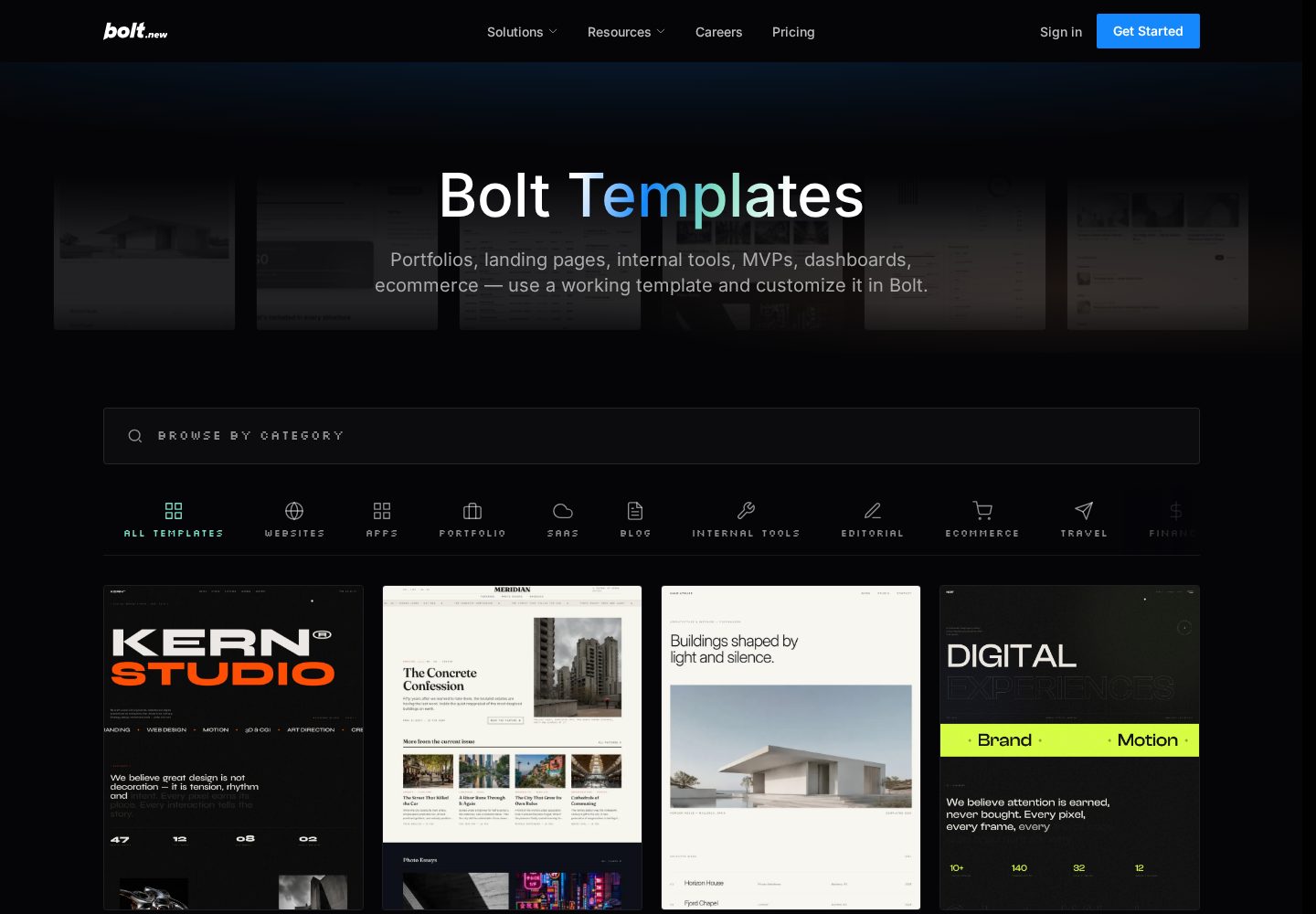
Bolt.new templates
Bolt's template library includes starting points for dashboards, storefronts, portfolios, and other web products.
View official source: Bolt.new templates libraryBase44 or Bolt.new? The short answer
Choose Base44 when non-technical users need a working business app with database, authentication, analytics and hosting assembled together. Choose Bolt.new when a developer or technical founder wants fast scaffolding, direct code access and a standard project that can move into an ordinary development workflow. Base44 is an all-in-one, largely no-code route from business brief to hosted application; Bolt.new is an in-browser development environment that uses AI to create a conventional web project. Base44 hides more infrastructure, while Bolt exposes the files and runtime to someone comfortable taking technical control.
Key takeaways
- Base44 is positioned for non-technical teams building full-stack business apps quickly; Bolt.new is positioned for fast in-browser prototyping of web apps.
- Base44: Free; paid plans from $16–$160/month billed annually, with separate message and integration credit limits.
- Bolt.new: Free plan with 1M tokens/month; Pro $25/month; Teams around $30/member/month.
- Base44 code export: Yes. Bolt.new code export: Yes.
- The right choice depends on the deliverable, who will maintain it and what happens after the first successful prompt.
Base44 vs Bolt.new: the core difference
Base44 is an all-in-one, largely no-code route from business brief to hosted application; Bolt.new is an in-browser development environment that uses AI to create a conventional web project. Base44 hides more infrastructure, while Bolt exposes the files and runtime to someone comfortable taking technical control.
Base44 is an AI app builder, now part of Wix, that generates complete business applications — front end, database, authentication and analytics — from a plain-language description. Bolt.new is an in-browser AI development environment from StackBlitz that generates, runs and previews complete web projects, which you can then edit by hand or download. That distinction matters more than a checklist because it determines what exists at the end of the workflow, who can maintain it and which costs continue after launch.
Both can create web applications from a prompt and both support databases, deployment and code ownership. The overlap ends at the working style: Base44 treats code as an implementation detail until you need it, while Bolt presents code as the product from the beginning.
A useful buying decision starts with a noun, not a feature: decide whether the deliverable is an application, an internal workflow, a portable codebase, or finished visual media. Then ask who owns the result after the first month. This prevents a broad label such as “AI builder” from making two unlike products appear interchangeable.
What Base44 and Bolt.new actually deliver
Base44 starts from this proposition: A no-code AI builder that generates the interface, database, authentication and hosting from a written brief. In practical terms, its supported output includes web apps, internal tools, mvps. Its main integrations are Built-in database and auth, Third-party API integrations, LLM integrations.
Bolt.new starts somewhere different: Browser-based AI coding environment for spinning up web projects from a prompt. Its supported output includes web apps, prototypes, and its listed integrations are Supabase, Bolt Database, Netlify deployment, GitHub.
Base44's strongest verified advantages are produces a working front end, database and user accounts from one prompt; free plan includes the core builder, hosting, authentication and analytics; paid plans include unlimited apps and direct in-app code editing. Bolt.new's are whole development environment runs in the browser, nothing to install; very fast first result for front-end heavy projects; downloads as a normal project you can open in any editor. Those lists describe different priorities, so the higher score should not be treated as a universal answer. A platform can be excellent at its intended job and still be the wrong purchase for a different output, team or level of technical confidence.
The weaknesses are equally important. For Base44, the documented cautions are separate message and integration credits make real usage harder to predict; complex permissions, workflows and edge cases still need careful testing; github sync is restricted to builder and higher plans; repeated prompting can introduce visual or functional regressions. For Bolt.new, they are token limits bite quickly on larger projects; backend depth is thinner than a full ide or full-stack builder; free-tier apps carry bolt branding. Read those limitations as part of the product rather than edge cases: they are the areas most likely to consume time, budget or specialist help after an impressive first result.
Side by side
| Criterion | Base44 | Bolt.new |
|---|---|---|
| Ease of use | Guided, largely no-code | Straightforward, some code familiarity helps |
| AI capabilities | A no-code AI builder that generates the interface, database, authentication and hosting from a written brief. | Browser-based AI coding environment for spinning up web projects from a prompt. |
| App types | Web apps, Internal tools, MVPs | Web apps, Prototypes |
| Customisation | Produces a working front end, database and user accounts from one prompt | Whole development environment runs in the browser, nothing to install |
| Integrations | Built-in database and auth, Third-party API integrations, LLM integrations | Supabase, Bolt Database, Netlify deployment, GitHub |
| Pricing | Free; paid plans from $16–$160/month billed annually, with separate message and integration credit limits | Free plan with 1M tokens/month; Pro $25/month; Teams around $30/member/month |
| Free plan | Yes | Yes |
| Code / export | Yes | Yes |
| Best use cases | Operations, HR and finance teams building internal tools, and non-technical founders who want screens plus data working quickly without touching infrastructure. | Developers and technical founders prototyping web apps quickly, and anyone who wants AI scaffolding without giving up an ordinary codebase. |
Category winners
We compared the current product scope, documented features, pricing, ownership options, integrations and intended audience for both platforms. Pricing was checked on the official Base44 and Bolt.new pricing pages in September 2026. We did not invent prompt counts, benchmark results or production claims where a direct controlled test was unavailable. Category winners therefore reflect documented capability and fit, while cross-category criteria are marked as ties when a fair like-for-like judgment is not possible.
| Category | Winner | Why |
|---|---|---|
| Ease for non-coders | Base44 | Base44 hides more infrastructure and generates the business-app plumbing by default. |
| Direct code control | Bolt.new | Bolt exposes a normal project and browser development environment immediately. |
| Built-in data, auth and analytics | Base44 | These capabilities are central to Base44's standard app setup. |
| Portable development workflow | Bolt.new | Download and GitHub paths fit a conventional developer handoff. |
| Free evaluation | Tie | Both have free plans, but their message/integration and token limits work differently. |
| Production responsibility | Tie | Both require testing; Base44 guides more, while Bolt gives more technical control. |
Base44 pros & cons
Pros
- Produces a working front end, database and user accounts from one prompt
- Free plan includes the core builder, hosting, authentication and analytics
- Paid plans include unlimited apps and direct in-app code editing
- Builder and higher plans add two-way GitHub sync and AI model selection
- Custom domains and production hosting are handled inside the platform
Cons
- Separate message and integration credits make real usage harder to predict
- Complex permissions, workflows and edge cases still need careful testing
- GitHub sync is restricted to Builder and higher plans
- Repeated prompting can introduce visual or functional regressions
Bolt.new pros & cons
Pros
- Whole development environment runs in the browser, nothing to install
- Very fast first result for front-end heavy projects
- Downloads as a normal project you can open in any editor
- Supabase and Netlify integrations for data and deployment
- Free tier is workable for small experiments
Cons
- Token limits bite quickly on larger projects
- Backend depth is thinner than a full IDE or full-stack builder
- Free-tier apps carry Bolt branding
Base44 vs Bolt.new pricing and value
Base44 scores 9.9/10 in AppRank's current evaluation. It is best for non-technical teams building full-stack business apps quickly. Its published pricing is free; paid plans from $16–$160/month billed annually, with separate message and integration credit limits. A free plan is yes, code export is yes, and an included database is yes. The pricing information was checked against the vendor's official page on 20 September 2026.
Base44's published tiers are Free at $0 (25 message and 100 integration credits monthly; up to 5 apps; auth, database and analytics); Starter at $16/mo annually ($20 month-to-month; 100 message and 2,000 integration credits; unlimited apps and code edits); Builder at $40/mo annually ($50 month-to-month; 250 message and 10,000 integration credits; GitHub sync and model selection); Pro at $80/mo annually ($100 month-to-month; 500 message and 20,000 integration credits; early beta access); Elite at $160/mo annually ($200 month-to-month; 1,200 message and 50,000 integration credits; premium support). The lowest advertised price is not automatically the sensible production plan. Compare the allowance and ownership features on the tier you would actually use, then model a busy month rather than an ideal one.
Bolt.new scores 9.6/10 in AppRank's current evaluation. It is best for fast in-browser prototyping of web apps. Its published pricing is free plan with 1m tokens/month; pro $25/month; teams around $30/member/month. A free plan is yes, code export is yes, and an included database is yes. The pricing information was checked against the vendor's official page on 11 September 2026.
Bolt.new's published tiers are Free at $0 (300K tokens/day, 1M tokens/month, hosting with Bolt branding); Pro at $25/mo (From 10M tokens/month, no daily cap, no Bolt branding); Teams at ~$30/member/mo (Team workspaces and shared billing). Usage-based allowances can be economical for occasional work and restrictive during concentrated build or launch periods. Seat pricing can look expensive for one person and become predictable for a team. The fairest comparison is cost per completed outcome, including the time spent correcting, exporting and maintaining it.
Ownership, export and long-term maintenance
Base44 states that users own their code, data and users. Paid plans include in-app code editing, while two-way GitHub sync begins on Builder at $40 per month billed annually. That makes Builder the relevant ownership tier for teams that want an external repository from day one.
Bolt.new creates a conventional project inside its browser environment. Projects can be downloaded or synced to GitHub and continued in another editor, which makes portability one of Bolt's clearest strengths. The trade-off is that the team assumes more responsibility for architecture and ongoing operation.
Ownership should be tested before the project becomes important. Export a representative result, confirm what remains editable outside the service, identify any hosted data or authentication dependencies, and document how a new team member would take over. A marketing promise that “you own your work” can mean anything from downloading a media file to controlling a complete source repository.
Maintenance also changes the calculation. Prompt-led iteration is fast when the project is small, but later changes can touch neighbouring behaviour. Keep changes narrow, save working versions and retest the paths that matter after every substantial revision. If the output is code, use source control early. If it is media, preserve prompts, source assets, usage rights and approved masters so future campaigns remain reproducible.
Which workflow and team is the better fit?
Base44 suits an operations lead describing a CRM, portal or approval process in business language. Bolt suits a technical builder who wants the AI to create the first implementation quickly, then expects to inspect files, edit code and decide how the application should be hosted and maintained.
Base44 describes its ideal user as operations, hr and finance teams building internal tools, and non-technical founders who want screens plus data working quickly without touching infrastructure. It is less suitable for experienced developers who want fine-grained architectural control from the first commit, and teams that need predictable usage costs or highly regulated production workflows without extensive independent testing. That boundary is useful: it says more about likely satisfaction than a long list of capabilities that may never matter to your project.
Bolt.new is aimed at developers and technical founders prototyping web apps quickly, and anyone who wants ai scaffolding without giving up an ordinary codebase. It is a weaker fit for non-technical users who want an app that runs itself in production, and teams building large, data-heavy applications. If your team falls between those profiles, run the same small, realistic task in both products and judge the complete handoff, not just the first generated screen or asset.
For a fair trial, write a one-page brief with the intended user, required output, three essential actions, one difficult edge case and a definition of done. Give both platforms the same brief. Record the time to a usable result, corrections required, allowance consumed, export quality and what another person needs to continue the work. That evidence is more valuable than a generic feature count.
Limitations and risks before you commit
Base44's biggest practical risk is false confidence around generated business logic. Accounts and permissions are included, but unusual roles, approval rules and sensitive records still require deliberate testing as each user type. Its separate message and integration credit pools also make busy months harder to forecast.
Bolt's main constraint is token consumption. Larger projects can exhaust allowances during long debugging or regeneration sessions, and backend depth is less guided than Base44's all-in-one workflow. A non-technical owner may reach a convincing prototype and then need a developer to make it dependable.
Neither score is a substitute for checking the current terms. Product allowances and plan boundaries change frequently, which is why every pricing image and table on AppRank links to an official source and carries a verification date. Confirm the tier, renewal period, included usage, overage behaviour and cancellation terms immediately before buying.
The final check is operational. Decide who reviews generated output, who can approve a release, where backups live and how the team recovers from a bad change. AI compresses production time; it does not remove accountability. The best platform is the one whose limits your team understands and whose output can be reviewed with the skills you actually have.
Which One Should You Choose?
Choose Base44 when a non-technical team needs a database, authentication, permissions and hosting assembled with the app. Choose Bolt.new when a developer wants the fastest route to an ordinary codebase they can inspect, download and continue building elsewhere.
Choose Base44 if
- Choose Base44 when non-technical users need a working business app with database, authentication, analytics and hosting assembled together.
- Produces a working front end, database and user accounts from one prompt
- Free plan includes the core builder, hosting, authentication and analytics
- Paid plans include unlimited apps and direct in-app code editing
- Builder and higher plans add two-way GitHub sync and AI model selection
Choose Bolt.new if
- Choose Bolt.new when a developer or technical founder wants fast scaffolding, direct code access and a standard project that can move into an ordinary development workflow.
- Whole development environment runs in the browser, nothing to install
- Very fast first result for front-end heavy projects
- Downloads as a normal project you can open in any editor
- Supabase and Netlify integrations for data and deployment
Base44 vs Bolt.new: FAQs
Which is better, Base44 or Bolt.new?
Choose Base44 when non-technical users need a working business app with database, authentication, analytics and hosting assembled together. Choose Bolt.new when a developer or technical founder wants fast scaffolding, direct code access and a standard project that can move into an ordinary development workflow.
Which is cheaper, Base44 or Bolt.new?
Base44: Free; paid plans from $16–$160/month billed annually, with separate message and integration credit limits. Bolt.new: Free plan with 1M tokens/month; Pro $25/month; Teams around $30/member/month. Compare the tier and allowance needed for your actual workload rather than the lowest headline price.
Can I try Base44 and Bolt.new free?
Base44 free plan: Yes. Bolt.new free plan: Yes. Where there is no permanent free tier, check the vendor's current trial terms.
Can I export work from Base44 and Bolt.new?
Base44 code export is listed as yes; Bolt.new code export is yes. For media platforms, downloading the finished asset is different from exporting an application codebase.
How should I test Base44 against Bolt.new?
Give both the same realistic brief, include one difficult edge case, and compare the usable result, corrections, allowance consumed, export quality and maintenance handoff. Do not judge only the first generated preview.
Continue exploring
Related AppRank guides
Read the full reviews
Related comparisons
Relevant buying guides
Not Sure Which AI App Builder to Choose?
Get our free AI App Builder comparison guide.
No sign-up is required to read any comparison on this site.