
Lovable vs Base44: Which AI App Builder Is Better?
Both platforms promise a working app from a written brief. They differ in how much of the underlying code you end up owning and how far you can push custom logic.
Affiliate disclosure — Some links on this website are affiliate links. If you click a link and purchase a product or sign up for a service, we may receive a commission at no additional cost to you. Our rankings and editorial opinions are formed independently of affiliate compensation. Read the full disclosure.

Lovable
Non-technical founders shipping a full-stack web app or SaaS MVP
Prompt-driven builder that turns a written description into a working full-stack web app.

Base44
Non-technical teams building full-stack business apps quickly
A no-code AI builder that generates the interface, database, authentication and hosting from a written brief.
Lovable vs Base44: official product visuals
Lovable AI app builder
Lovable turns a written product brief into a working web application with editable code and integrations.
View official source: Lovable product page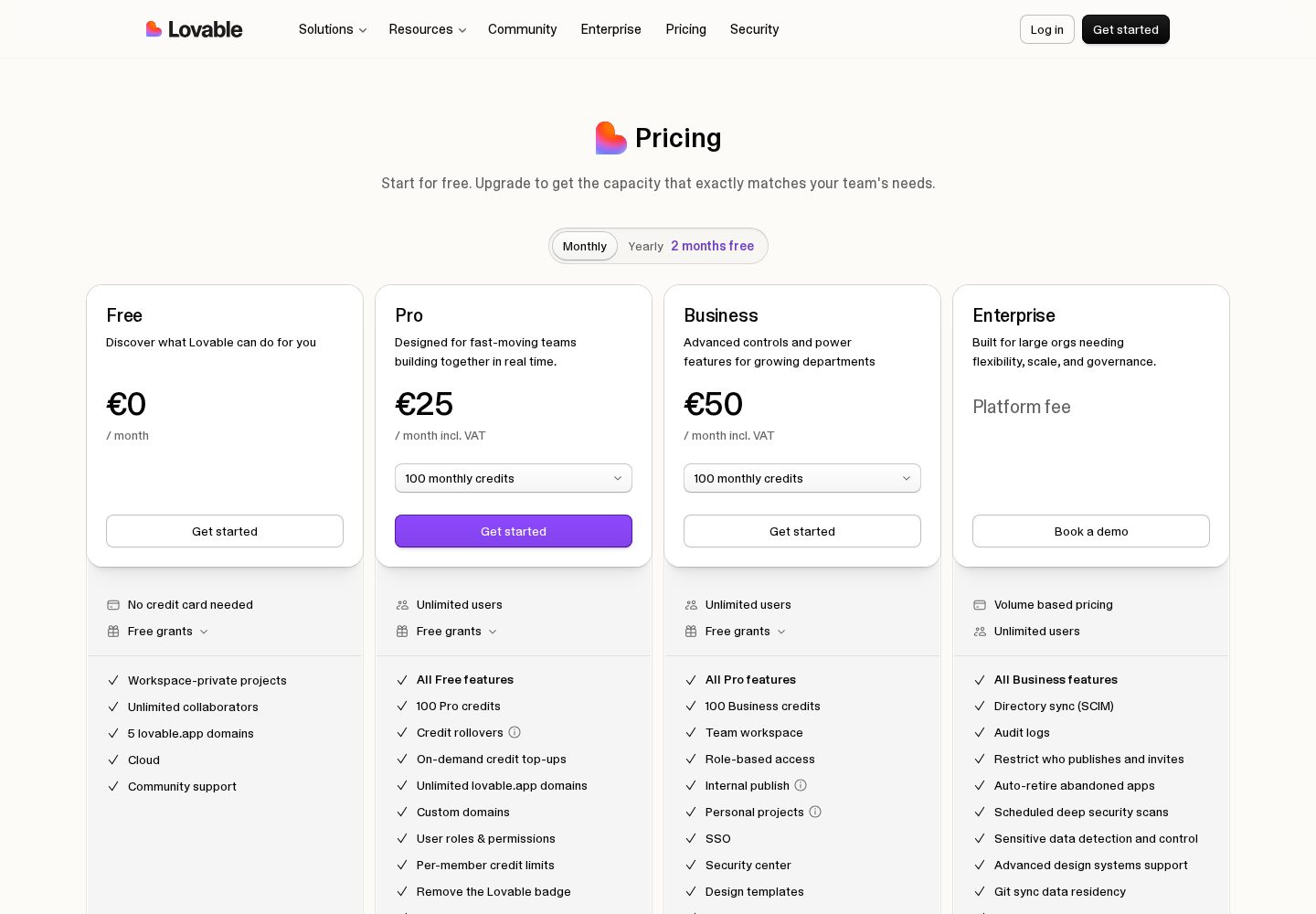
Lovable pricing plans
Lovable's official plan comparison shows its credit allowances and features for individuals and teams.
View official source: Lovable pricing page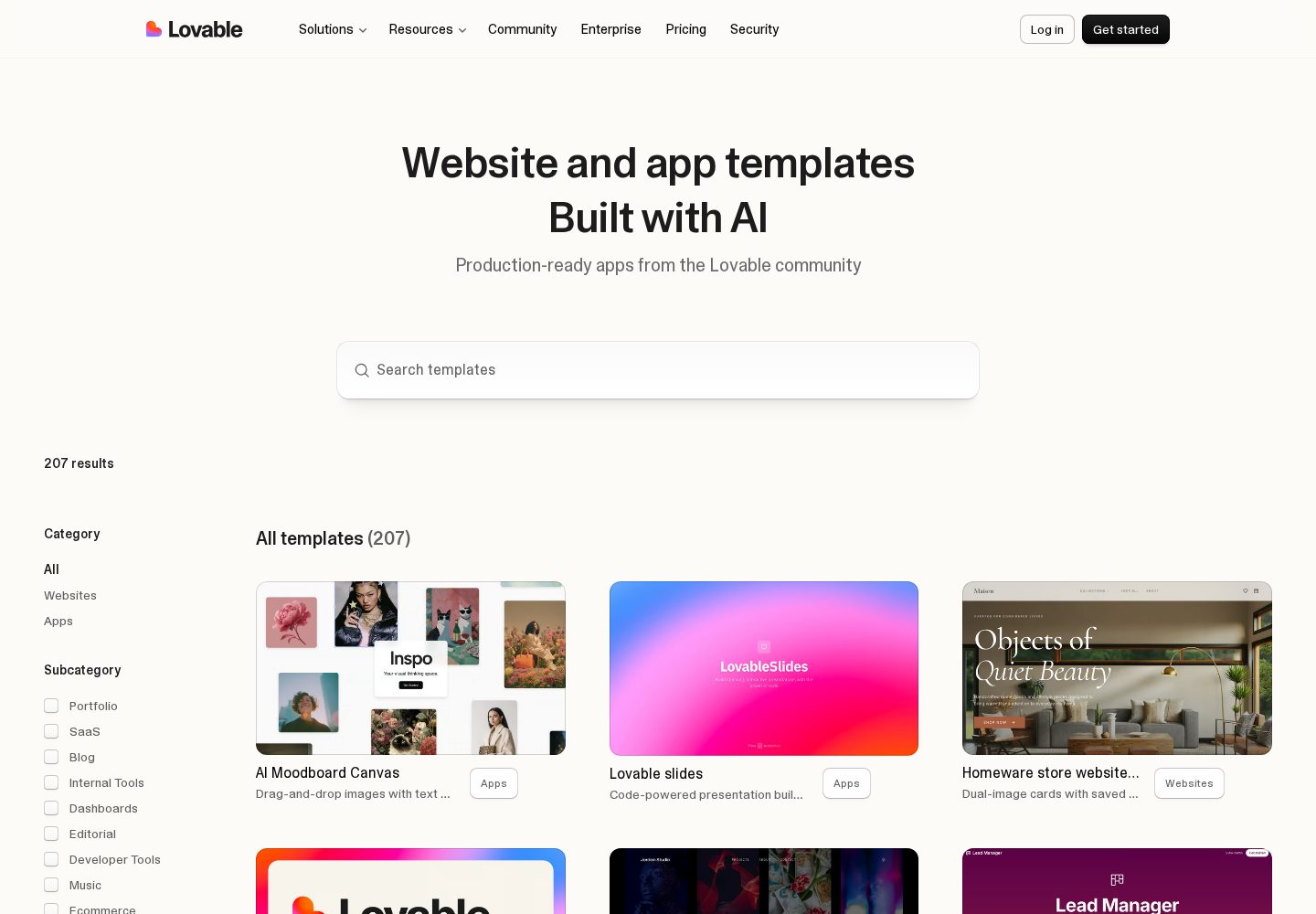
Lovable templates and examples
The template library demonstrates the range of public websites and app interfaces produced with Lovable.
View official source: Lovable templates library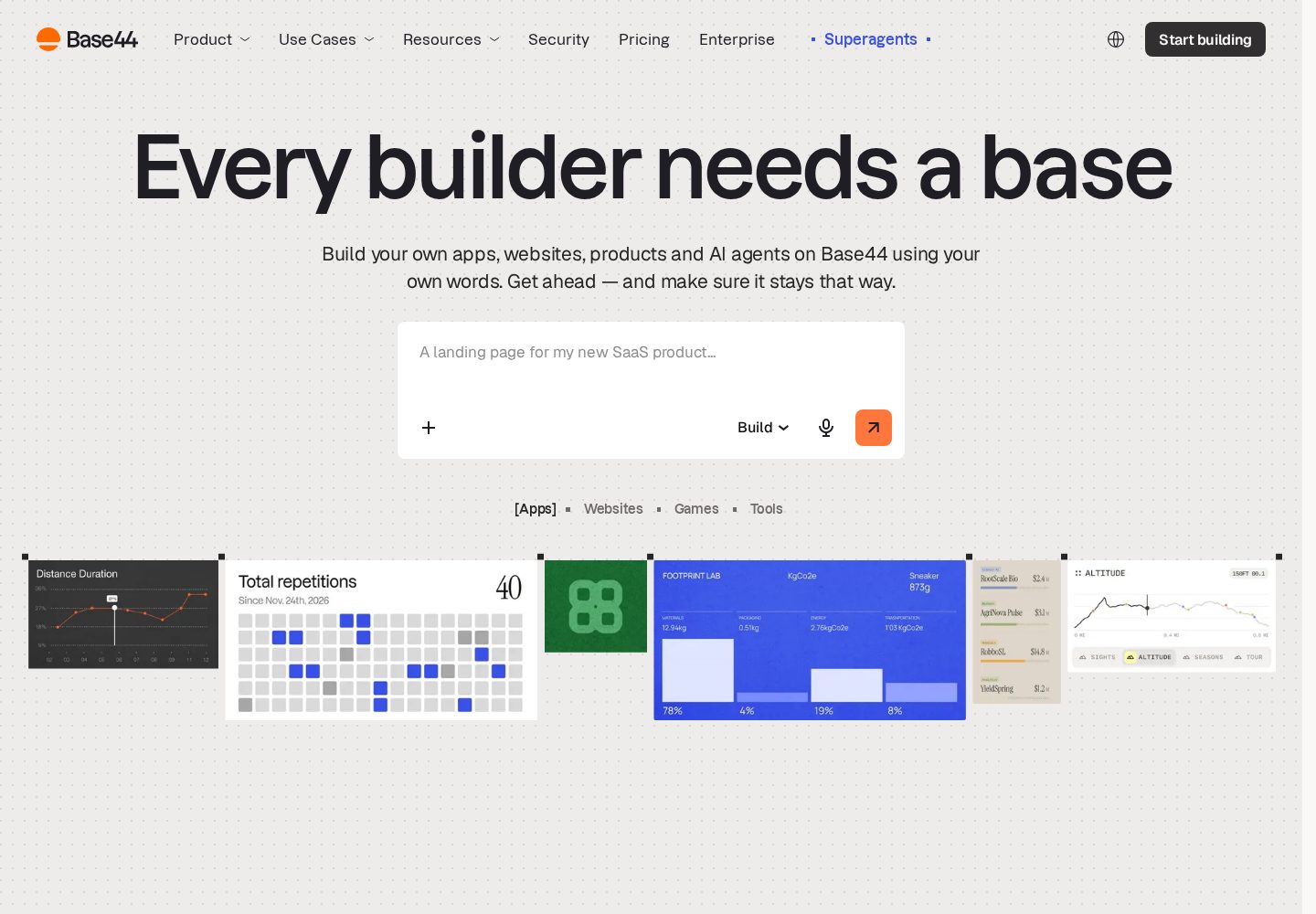
Base44 app-building interface
Base44 presents a prompt-led builder backed by ready-made app layouts and business data tools.
View official source: Base44 product page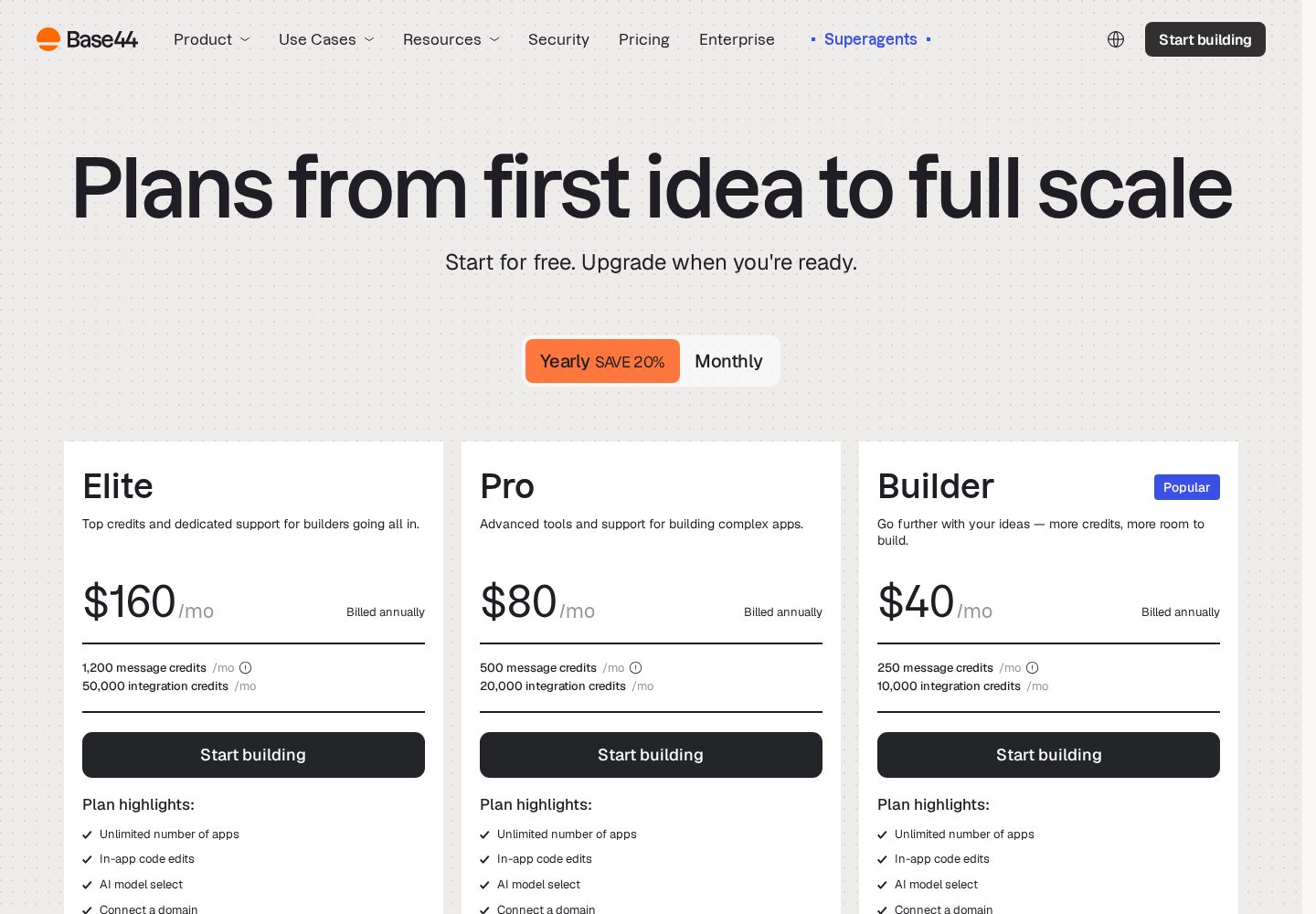
Base44 pricing plans
The official pricing page separates plans by monthly message credits, integration credits, and team features.
View official source: Base44 pricing page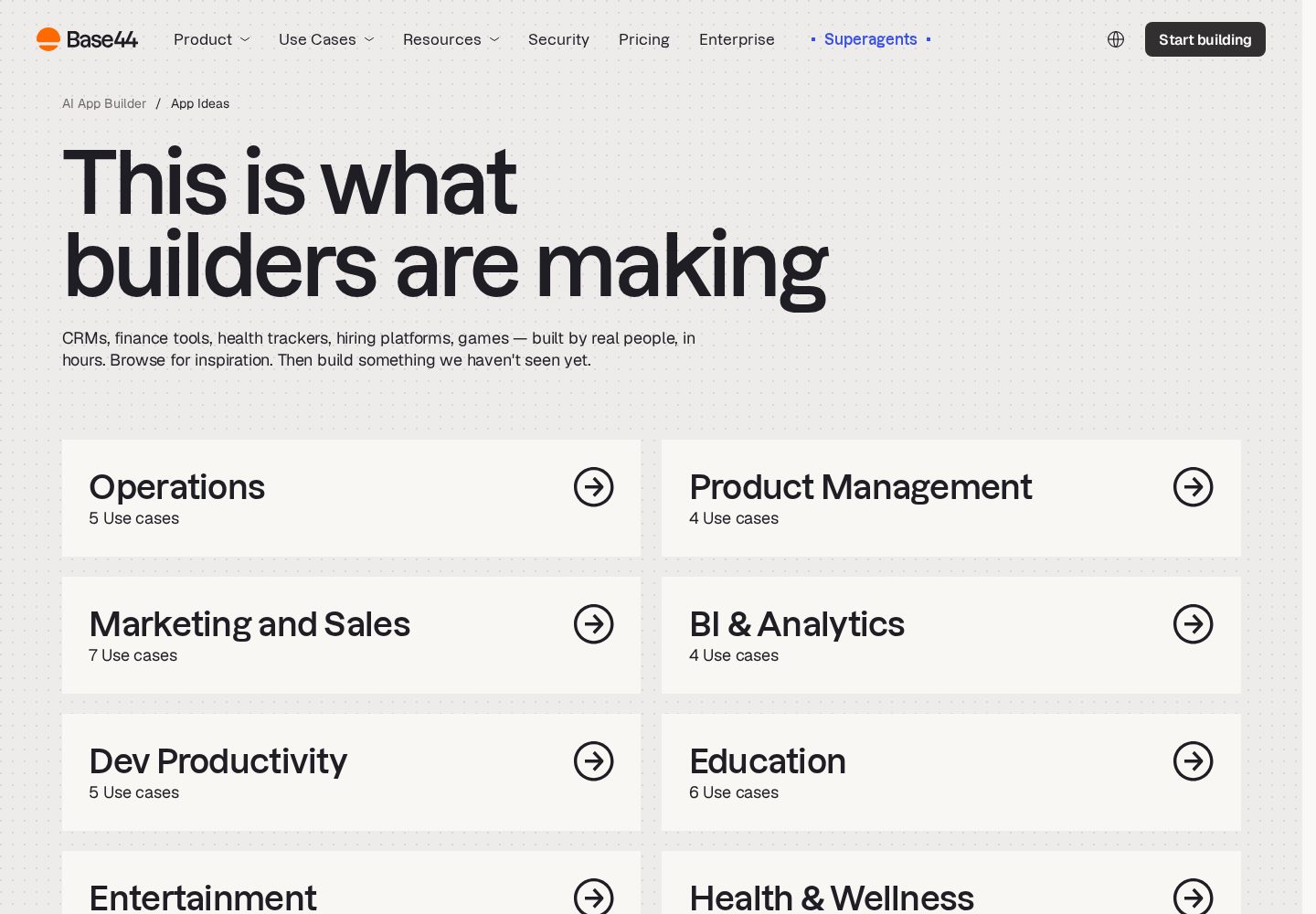
Base44 use cases
Base44 groups its examples around operational tools, product workflows, marketing, analytics, and education.
View official source: Base44 use-cases pageLovable or Base44? The short answer
Base44 is the better choice for internal business apps where a database, user accounts and permissions matter more than visual polish, and it is the platform we rank first overall. Lovable is the better choice for customer-facing products — marketing sites, SaaS front ends and MVPs you intend to show investors or paying users — because the interfaces it generates look finished without a designer. Both turn a written brief into a working full-stack app, both give you access to the underlying code, and both meter usage with credits rather than charging a flat unlimited fee. Base44 starts free and runs $16–$160 per month billed annually; Lovable starts free and runs $25 per month for Pro and $50 for Business.
Key takeaways
- Base44 scores 9.9 and Lovable 9.8 in our testing — this is a close call decided by what you are building, not by overall quality.
- Lovable produces noticeably better-looking front ends out of the box; Base44 produces better-wired back ends out of the box.
- Both give you the code. Base44 adds two-way GitHub sync from its $40/month Builder plan; Lovable syncs to GitHub on its paid plans.
- Base44 meters two separate pools — message credits and integration credits — which makes API-heavy apps harder to budget than Lovable's single credit allowance.
- For a first paid month, Lovable Pro at $25 is cheaper than the Base44 Builder plan most teams end up on at $40 billed annually.
Lovable vs Base44: the core difference
On the surface these two platforms do the same thing. You describe an application in ordinary language, the AI writes it, and a few minutes later you have something running at a real URL with a database behind it. The marketing pages are almost interchangeable. The difference only becomes obvious once you have built the same app twice.
Lovable optimises for the front end. Its generated interfaces have consistent spacing, sensible typography, states for loading and empty data, and a layout that holds up on a phone without being asked. When our test landing page came out of the first prompt, it was something we would have been comfortable putting on a real domain that afternoon. That matters enormously if the app is the product — if strangers will judge your business by how it looks in the first five seconds.
Base44 optimises for the plumbing. When we described the equipment-booking tool, it did not just draw the screens; it created the user table, the roles, the record ownership rules and the approval state machine without being told to. The interface it produced was clean but plainer. For an internal tool, nobody cares that the buttons are plain — they care that a technician cannot approve their own booking request. Base44 got that right first time and Lovable needed two extra prompts to get there.
So the honest framing is not 'which is better' but 'which failure mode can you afford'. A beautiful app with sloppy permissions is dangerous. A secure app that looks unfinished is merely unimpressive. Pick the platform whose defaults protect you from the failure that would hurt you most.
What each one actually builds
For the customer-facing test, Lovable reached a presentable result in one prompt and a polished one in three. Base44 reached a functional result in one prompt but took six rounds of design feedback to get to a comparable level of visual finish, and even then the result felt more like a competent admin dashboard than a product page.
For the internal-tool test the order reversed. Base44 produced working role separation, an audit-friendly record history and a permissions model we could reason about. Lovable built the same screens faster but treated permissions as an afterthought until we explicitly asked, at which point it implemented them correctly. That is an important nuance: Lovable is capable of everything Base44 did, it just does not assume you want it.
Neither platform produced code we would ship to production without review. Both generated readable, conventionally structured applications with recognisable patterns, and both occasionally regenerated a working component into a broken one when a later prompt touched nearby code. On both platforms the practical mitigation is the same — commit to GitHub early and often, so a bad generation costs you five minutes rather than a day.
- Lovable: stronger default design system, better mobile behaviour, faster to something you would show a customer.
- Base44: stronger default data model, accounts and permissions included, faster to something you would trust with company data.
- Both: readable exported code, real hosting, and a real risk of regression when you iterate heavily by prompt.
Side by side
| Criterion | Lovable | Base44 |
|---|---|---|
| Ease of use | Chat-based; no coding required to start | Guided, largely no-code |
| AI capabilities | Prompt-driven builder that turns a written description into a working full-stack web app. | A no-code AI builder that generates the interface, database, authentication and hosting from a written brief. |
| App types | Web apps, SaaS, Prototypes | Web apps, Internal tools, MVPs |
| Customisation | Describe the app in plain English and get a working front end and back end | Produces a working front end, database and user accounts from one prompt |
| Integrations | GitHub, Supabase, Stripe, Built-in Cloud backend | Built-in database and auth, Third-party API integrations, LLM integrations |
| Pricing | Free plan with limited daily credits; Pro from $25/month, Business $50/month | Free; paid plans from $16–$160/month billed annually, with separate message and integration credit limits |
| Free plan | Yes | Yes |
| Code / export | Yes | Yes |
| Best use cases | Founders, product managers and designers who can describe what they want clearly and need a real, hosted product rather than a prototype — especially anyone building a SaaS MVP or internal tool solo. | Operations, HR and finance teams building internal tools, and non-technical founders who want screens plus data working quickly without touching infrastructure. |
Category winners
We built the same two applications on both platforms during September 2026: a customer-facing subscription landing page with signup and a Stripe-style checkout flow, and an internal equipment-booking tool with staff accounts, roles and an approval step. Each build started from a single written brief of about 120 words, then went through five rounds of follow-up prompts. We recorded how many prompts it took to reach something we would put in front of a real user, what we had to fix by hand, how the credit meter moved, and what the exported code looked like. Pricing figures come from each vendor's public pricing page, checked in September 2026.
| Category | Winner | Why |
|---|---|---|
| Speed to a working first version | Tie | Both produced a usable app from one brief in minutes during testing. |
| Visual quality of generated UI | Lovable | Lovable's default styling needs less cleanup before showing a customer. |
| Database, auth and permissions | Base44 | Base44 wires accounts, roles and data into every app without extra prompting. |
| Code ownership and export | Tie | Both give you the code; both support GitHub sync on paid tiers. |
| Pricing transparency | Lovable | One credit pool is easier to forecast than Base44's two. |
| Entry cost for serious work | Lovable | $25/month Pro versus the $40/month Base44 plan that unlocks GitHub sync. |
| Internal tools and business apps | Base44 | Base44 is built around the data-and-permissions shape of internal software. |
| Customer-facing products and MVPs | Lovable | Lovable's output is closer to launch-ready for a public audience. |
Lovable pros & cons
Pros
- Describe the app in plain English and get a working front end and back end
- Built-in database, authentication and hosting — no separate setup
- Two-way GitHub sync, so the code stays yours
- Live preview makes each change visible immediately
- Free plan is generous enough to judge the tool before paying
Cons
- Credit-based usage gets expensive on heavy iteration
- Unusual business logic and security work still need developer review
- Large existing codebases are not its strong point
Base44 pros & cons
Pros
- Produces a working front end, database and user accounts from one prompt
- Free plan includes the core builder, hosting, authentication and analytics
- Paid plans include unlimited apps and direct in-app code editing
- Builder and higher plans add two-way GitHub sync and AI model selection
- Custom domains and production hosting are handled inside the platform
Cons
- Separate message and integration credits make real usage harder to predict
- Complex permissions, workflows and edge cases still need careful testing
- GitHub sync is restricted to Builder and higher plans
- Repeated prompting can introduce visual or functional regressions
Pricing compared: which costs more in practice
Lovable publishes a free plan with limited daily and monthly AI credits and public projects, Pro at $25 per month with a monthly credit allowance, private projects and custom domains, Business at $50 per month for larger allowances and team features, and custom Enterprise pricing.
Base44 publishes a free plan with 25 message credits and 100 integration credits a month across up to five apps, Starter at $16 per month billed annually ($20 month to month), Builder at $40 annually ($50 monthly), Pro at $80 annually ($100 monthly) and Elite at $160 annually ($200 monthly). Each step raises both credit pools.
The headline comparison flatters Base44 — $16 beats $25. The practical comparison does not. Base44's Starter tier does not include GitHub sync or model selection, and most teams doing real work want both, which puts the realistic entry point at Builder, $40 per month billed annually. Against Lovable Pro at $25, Lovable is the cheaper serious plan.
The second budgeting difference is the meter itself. Lovable counts one thing: credits consumed by AI work. Base44 counts two: message credits for prompting and integration credits for the calls your app makes to outside services. An app that syncs a spreadsheet every few minutes can burn through integration credits while barely touching message credits, and that combination surprises people in their second month. If predictable monthly spend is a requirement, Lovable's single pool is easier to plan around.
Code ownership, export and lock-in
Both vendors take the same public position: the app you generate is yours. Base44 states that you own the code, the data and the users in your apps, allows in-app code editing on paid plans, and offers two-way GitHub sync from the Builder plan upward. Lovable likewise gives you the underlying project and syncs it to a GitHub repository on paid plans.
In practice, 'you own the code' and 'you can leave easily' are different claims. Both platforms generate applications that lean on their own hosting and their own managed backend conventions, so moving a mature app elsewhere means replacing infrastructure, not just copying files. The realistic test is not whether you could migrate in theory but whether a competent developer could pick the exported repository up and keep working in it. On both platforms, in our testing, the answer was yes.
The practical advice is identical for either choice: connect GitHub on day one, even if you never plan to open the code. It turns the platform from a place where your work lives into a place where your work is generated, and that single change removes most of the lock-in risk people worry about.
Going to production: security, scale and maintenance
Both platforms will happily generate an app that accepts real customer data on the first afternoon. Neither will tell you when it has generated something unsafe. That is the most important sentence on this page.
Base44's defaults reduce the risk meaningfully because permissions are part of how it thinks, but complex role structures still need deliberate testing — we found cases where a rule read correctly in the prompt and behaved differently in the app. Lovable's defaults are permissive until you tighten them, so the burden is on you to ask. Either way, before you store anything you would not want to read about in an email to your customers, you should log in as each user type and try to reach data you should not see.
On maintenance, both platforms reward small prompts. Sweeping rewrite requests across a mature app are where regressions cluster on either platform. Teams that treat the AI as a fast pair of hands making one change at a time get far better outcomes than teams that treat it as a contractor who can be handed a specification.
Which One Should You Choose?
Pick Lovable when the app is customer-facing and its appearance is part of the pitch — its generated front ends are closer to launch-ready, and Pro at $25 a month is the cheaper capable plan. Pick Base44 when the app is an internal tool holding company data, because accounts, roles and permissions are wired in by default and the free tier covers a genuine evaluation. Both give you the code and both sync to GitHub on paid plans, so neither choice locks you in.
Choose Lovable if
- The app is customer-facing and its appearance is part of the pitch.
- You want the cheapest capable paid plan — $25/month Pro.
- You prefer one simple credit meter to forecast spend against.
- You are building a SaaS MVP, marketing site or product front end.
- You are comfortable explicitly asking for permissions and access rules.
Choose Base44 if
- The app is an internal tool with staff accounts, roles and approvals.
- You want a database, authentication and analytics wired in by default.
- You value a free plan that covers a genuine evaluation across five apps.
- Permissions being right by default matters more than visual polish.
- You can budget for the $40/month Builder plan that unlocks GitHub sync.
Lovable vs Base44: FAQs
Is Lovable or Base44 better for a non-technical founder?
Both are usable without writing code. Choose Lovable if your first goal is something you can show customers or investors, because its generated interfaces look finished. Choose Base44 if your first goal is an internal tool that handles company data, because its accounts and permissions are wired in from the start.
Can I move my app off Lovable or Base44 later?
Both give you access to the underlying code and support GitHub sync on paid plans, so the code can leave with you. Moving a mature app still means replacing hosting and backend services, so connect GitHub from day one rather than deciding to migrate after a year.
Which is cheaper, Lovable or Base44?
Base44 has the cheaper headline paid plan at $16 per month billed annually, but that tier lacks GitHub sync and model selection. The realistic Base44 plan for serious work is Builder at $40 per month billed annually, which makes Lovable Pro at $25 per month the cheaper capable option.
Do Lovable and Base44 both include a database?
Yes. Both generate apps with a working database, user accounts and hosting rather than leaving you to set up infrastructure separately. Base44 additionally includes analytics in its standard app scaffolding.
Can I use both Lovable and Base44?
Many teams do, and it is a reasonable strategy. Use Lovable for the public product and Base44 for the internal admin and operations tools behind it. Both have free plans, so you can run this split for the price of one paid subscription.
Continue exploring
Related AppRank guides
Read the full reviews
Related comparisons
Relevant buying guides
Not Sure Which AI App Builder to Choose?
Get our free AI App Builder comparison guide.
No sign-up is required to read any comparison on this site.