SaaS products need accounts, data and billing paths. These platforms are the ones worth evaluating for that shape of product.
2 platforms compared·Updated September 2026
Affiliate disclosure — Some links on this website are affiliate links. If you click a link and purchase a product or sign up for a service, we may receive a commission at no additional cost to you. Our rankings and editorial opinions are formed independently of affiliate compensation. Read the full disclosure.
The short answer
Lovable is the best AI app builder for SaaS products because it produces the most launch-ready customer-facing interfaces, includes authentication and a database, and Pro costs $25 a month with Business at $50 for teams. Base44 is the strongest alternative when roles and permissions matter more than visual polish, and Bolt.new suits technical teams who want to take the generated code into a normal engineering workflow immediately.
Key takeaways
SaaS is the hardest category for these tools because the app must handle accounts, tenant separation, roles and billing — not just screens.
Lovable wins on the part customers judge: the signed-in product looks finished, which shortens the gap between prototype and something you can charge for.
Base44's built-in permissions model is the better fit when different user types must see different data, which is most B2B SaaS.
None of these builders is a billing system. Payments, dunning and plan changes are integration work you own, whichever platform you pick.
Multi-tenant data separation is the one thing you must verify by hand before launch; generated access rules are a starting point, not a security review.
Our top picks
Best overall for SaaS
Lovable
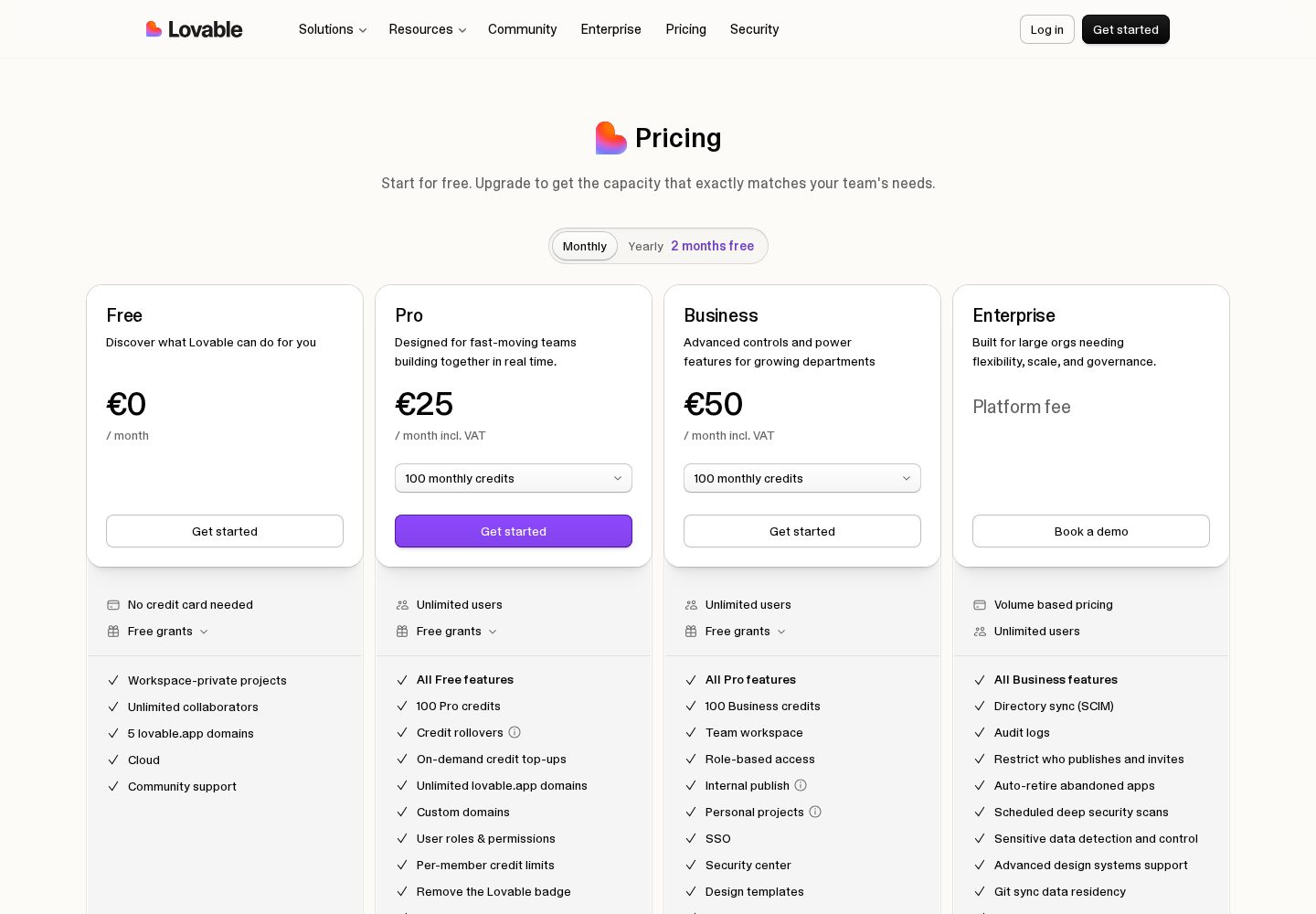
The closest thing to launch-ready customer-facing UI in this category, with auth and a database included — $25/mo Pro, $50/mo Business.
Accounts, roles and permissions are first-class, and the free tier plus $16/mo annual Starter make it the cheapest way to validate a subscription product.
For SaaS we weighted four things above all else: whether multi-user accounts work out of the box, whether roles and per-record permissions can be expressed without leaving the platform, how much rework the signed-in interface needs before a customer would pay for it, and how cleanly the codebase can move into a professional engineering workflow. We built the same brief on each platform — a team workspace with owner and member roles, a shared records table, and an admin view — and noted exactly where each one required manual work. Pricing was verified against vendor pricing pages in September 2026.
Multi-tenancy and data separation
A SaaS app serves many customers from one database. The builder must make it easy to scope every query to the signed-in account, and you must be able to read and verify those rules yourself rather than trusting a generated default.
Roles and permissions
B2B products need at least owner, admin and member. Check whether roles are a first-class concept or something you are expected to hand-roll in application logic, because retrofitting them later touches every screen.
Interface quality for the signed-in product
Marketing pages can be replaced cheaply; the product itself cannot. The platform that produces the most credible dashboard, table and settings screens saves the most work, because that is where users spend their time.
Path to a real engineering workflow
SaaS lives for years. Two-way GitHub sync, readable generated code and a normal framework underneath decide whether your second engineer can be productive or has to start over.
Platform breakdown
2
Lovable
Best for: Non-technical founders shipping a full-stack web app or SaaS MVP
9.8/10
Our runner-up. Lovable covers the whole path from a written idea to a hosted, working app exceptionally well, and because projects sync to your own GitHub repository you are not trapped if you outgrow it. Budget for credits if you iterate a lot.
Key strengths
✓Describe the app in plain English and get a working front end and back end
✓Built-in database, authentication and hosting — no separate setup
✓Two-way GitHub sync, so the code stays yours
✓Live preview makes each change visible immediately
✓Free plan is generous enough to judge the tool before paying
Key weaknesses
−Credit-based usage gets expensive on heavy iteration
−Unusual business logic and security work still need developer review
−Large existing codebases are not its strong point
Pricing:
Free plan with limited daily credits; Pro from $25/month, Business $50/month
Ideal user:
Founders, product managers and designers who can describe what they want clearly and need a real, hosted product rather than a prototype — especially anyone building a SaaS MVP or internal tool solo.
Best for: Production internal tools with AI speed and a human safety net
9.7/10
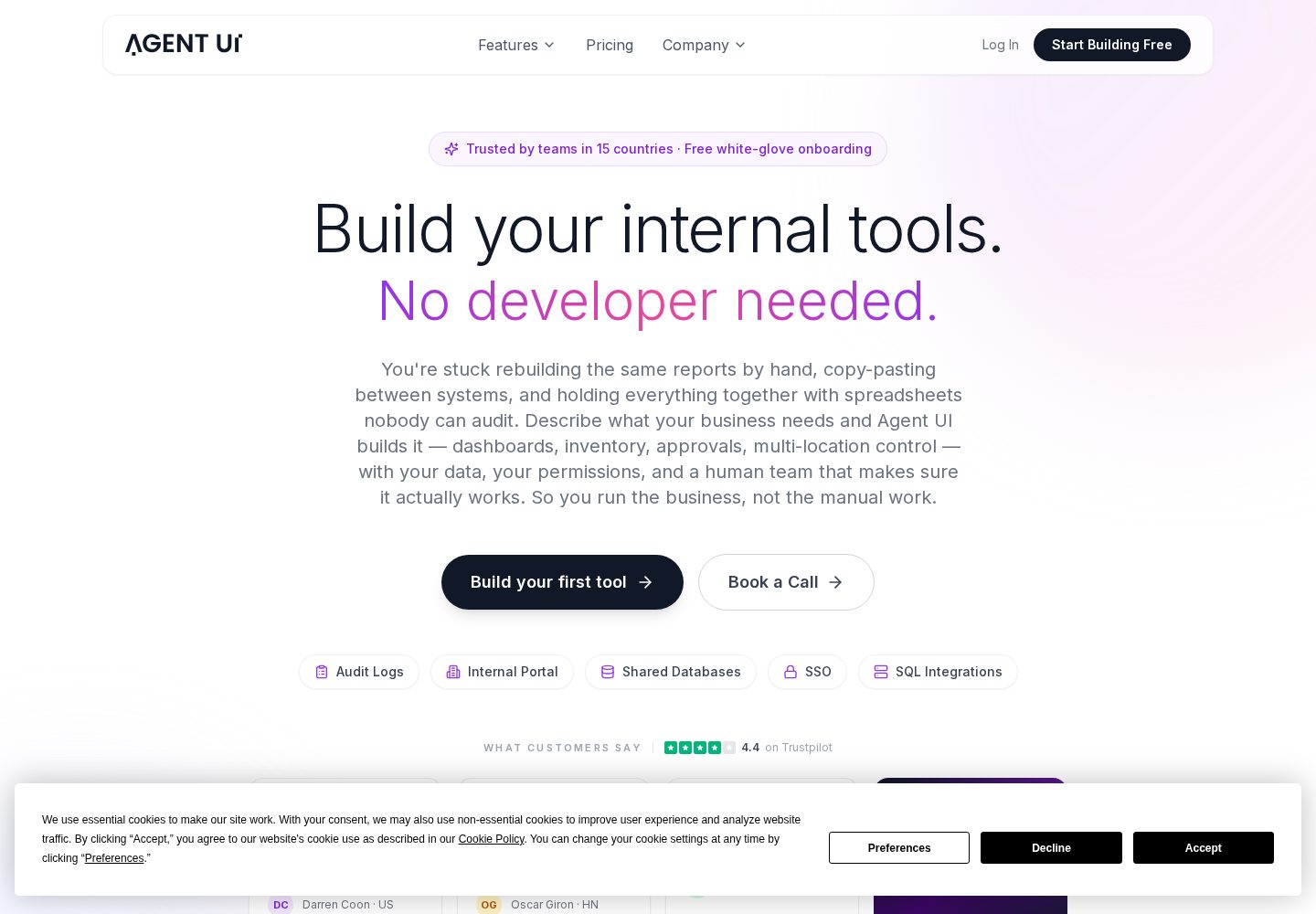
The only builder here that pairs AI code generation with a human team on every plan. For internal tools and client portals where reliability matters more than a free tier, it is a serious contender — and the enterprise features undercut far pricier platforms.
Key strengths
✓Every paid plan includes free white-glove onboarding with a real engineer
✓Enterprise features — SSO, audit logs, unlimited environments — at mid-market prices
✓In-app code editing, so you are not locked into prompt-only changes
✓Unlimited external users on every paid plan
✓Dedicated development hours available when the AI gets stuck
Key weaknesses
−No permanent free plan — only a free trial
−Built for internal tools and business apps, not consumer-facing products
−Entry price of $50/month is above free-tier-only competitors
Pricing:
Free trial; Minimum $50/mo (5 users); Innovator $100/mo (10 users); Visionary $250/mo (25 users); Build with You $2,500/mo
Ideal user:
Operations, finance, revenue ops and IT teams at mid-market and enterprise companies who need reliable internal tools fast and want a human expert available when the AI hits a wall.
Most AI builder demos show a single-user app: one person, one dataset, a handful of screens. SaaS breaks all three assumptions. You have many customers sharing one system, each seeing only their own data, with several user types inside each customer account, and a commercial relationship that has to survive upgrades, downgrades and cancellations. The generation step — turning a prompt into screens — is the easy part. Everything after it is where the platforms separate.
The first real requirement is tenant separation. Every query in the product must be scoped to the signed-in account, and the rule has to hold on the server, not in the interface. Builders that include a database and authentication give you the mechanism; they do not give you the guarantee. Before you charge anyone, create two accounts, put data in each, and confirm from the second account that the first account's records are genuinely unreachable — including through any API the app exposes.
The second is roles. Almost every B2B product needs an owner who can invite, an admin who can configure, and a member who can only use. This is the area where Base44's built-in permissions model earns its place in this guide: roles are part of the platform rather than something you reconstruct in application code. Retrofitting roles into a product that assumed a single user type is one of the most expensive rewrites in software, and AI builders make it very easy to walk into that trap on day one.
Billing is your problem, not the builder's
None of the platforms in this guide is a billing engine, and you should be suspicious of any comparison that implies otherwise. Taking subscription payments means a payment provider, a checkout, webhook handling for successful and failed charges, plan-state storage in your own database, and access logic that reads that state on every request. The builder can generate the screens and the integration glue; you own the correctness.
The practical pattern that works across all three of our picks is the same. Keep a subscription record per account holding the plan, status and renewal date. Let the payment provider be the source of truth and update your record from its webhooks, never from the browser. Gate features on your stored status rather than on anything the client sends. Handle the unhappy paths explicitly — expired cards, mid-cycle downgrades, refunds — because those are the states that generated code most reliably forgets.
Budget real time for this. In our builds, getting screens and data models to a credible state took hours; getting subscription state to behave correctly through upgrade, downgrade, failure and reactivation took considerably longer on every platform. That ratio is worth knowing before you promise a launch date based on how fast the first demo came together.
Lovable vs Base44 vs Bolt.new for a subscription product
Lovable takes the top position because the signed-in product looks like software people pay for. Dashboards, empty states, tables and settings pages come out with a coherent visual language, which means your first paying customers are not looking at something that reads as a prototype. It includes authentication and a database, gives you the code, and at $25 a month for Pro or $50 for Business it is priced for a team that ships continuously rather than in bursts.
Base44 is the better buy when the product is permission-heavy rather than design-heavy — an operations tool, a client portal, an internal-shaped B2B app sold externally. Accounts, roles and analytics are built in, the free tier is generous enough to validate the idea properly, and Starter is $16 a month billed annually. The two-pool credit model (messages for building, integration credits for runtime activity) is the thing to model before you scale usage, and GitHub sync arrives on Builder plans rather than the cheapest tier.
Bolt.new is the pick for a team that already has an engineer. Because everything runs in the browser and you can edit the generated code directly, the prototype and the production codebase never diverge — there is no translation step between what the AI produced and what your developer maintains. The free tier's 1M tokens a month covers evaluation and Pro is $25. It asks more of you in exchange, which is only a good trade if someone on the team can read what it writes.
The security checklist before you take a paying customer
Generated applications fail security review in predictable places, and all of them are fixable if you look. Work through this list before launch rather than after an incident, regardless of which platform produced the app.
None of this requires a specialist. It requires one focused afternoon and the willingness to test your own app as an attacker would — sign in as a second customer and try to reach the first customer's data by changing a URL. If that works, nothing else on the list matters yet.
Verify tenant separation from a second account, including by manipulating record IDs in URLs.
Confirm every access rule is enforced server-side; an interface that hides a button is not access control.
Keep API keys and provider secrets on the server, never in front-end code or environment variables prefixed for the browser.
Check that role changes take effect immediately and that a removed member loses access on their next request, not on their next login.
Make sure deletion actually deletes, and that exports and file storage respect the same permission rules as the database.
Review the sign-up flow for email confirmation and rate limiting before you expose it publicly.
Our verdict for SaaS builders
Lovable is our recommendation for most SaaS products because it gets you closest to a product a customer would pay for without a design contractor, while still handing over the code and including the backend pieces a subscription app needs. Pro at $25 a month is the plan most small teams will live on, with Business at $50 when more people need to build.
Pick Base44 instead when your product's complexity is in who-can-see-what rather than in how it looks, or when you want to validate at zero cost first — its permissions model and free tier are the best combination here for B2B tools, and $16 a month billed annually is the cheapest serious plan in the comparison. Pick Bolt.new when an engineer will own the codebase from week one and you want the prototype to be that codebase.
Whichever you choose, treat two things as your responsibility rather than the platform's: multi-tenant data separation and subscription billing state. Those are the two areas where a generated SaaS app most commonly looks finished and behaves incorrectly, and they are both cheaper to get right before launch than after.
Frequently asked questions
Can you really build a SaaS product with an AI app builder?+
Yes, up to a meaningful scale. Lovable, Base44 and Bolt.new all produce a real codebase with authentication and a database, which covers the core of most subscription products. What they do not give you is a billing engine or a security review — payment state handling and multi-tenant data separation remain your responsibility on every platform.
Which AI app builder is best for a B2B SaaS with multiple user roles?+
Base44, because accounts, roles and permissions are built into the platform rather than reconstructed in application logic. That matters most in B2B, where owner, admin and member permissions touch nearly every screen and are painful to retrofit later.
How do I add Stripe or another payment provider?+
Through an integration you configure yourself. The workable pattern on all three platforms is the same: store a subscription record per account, update it only from the provider's webhooks on the server, and gate features on that stored status. Never let the browser tell your backend which plan a customer is on.
Is the generated code good enough for a long-lived SaaS product?+
It is a reasonable starting point rather than a finished architecture. The code is standard and readable, which is why GitHub sync matters so much — once the product has customers, an engineer should take the repository into a normal development workflow instead of continuing to change it exclusively by prompting.
What does a SaaS build realistically cost per month?+
Expect $25–$50 a month for Lovable, $16–$40 a month for Base44 billed annually, or $25 a month for Bolt.new Pro, plus AI credit consumption during heavy build periods and whatever your payment provider charges per transaction. The subscription is rarely the largest line; the credits during a big feature push often are.
Our overall score is based on a weighted evaluation of product capabilities, usability, pricing and value, flexibility, and suitability for different types of users. Scores are editorial judgements based on publicly documented product information; where a criterion has not yet been verified for a platform, we mark it as pending rather than estimate it. We do not claim hands-on testing for any platform on this site until that testing has been carried out and published.
Ease of use
20%
How quickly a new user can get to a working result.
AI capabilities
20%
Quality and usefulness of the AI-driven building experience.
Flexibility
15%
Range of app types and structures the platform can produce.
Customisation
10%
How far the generated result can be shaped to a specific need.
Deployment & integrations
10%
Hosting, publishing and connections to other services.
Pricing & value
10%
What you get relative to what the platform costs.
Code ownership & export
8%
Whether you can take the resulting code with you.
Scalability & support
7%
Suitability beyond a prototype, and help when things break.
Additional criteria we consider per category: deployment options, integrations, code ownership and export, scalability, support quality and target audience fit.
Not Sure Which AI App Builder to Choose?
Get our free AI App Builder comparison guide.
No sign-up is required to read any comparison on this site.